
To add Stripe as the payment provider for your Koalect platform follow these instructions:
- Navigate to Settings:
- Go to the “Settings” tab in MyKoalect > Select “Finances > Click on “Create Stripe account” to quickly install Stripe Custom in your MyKoalect.
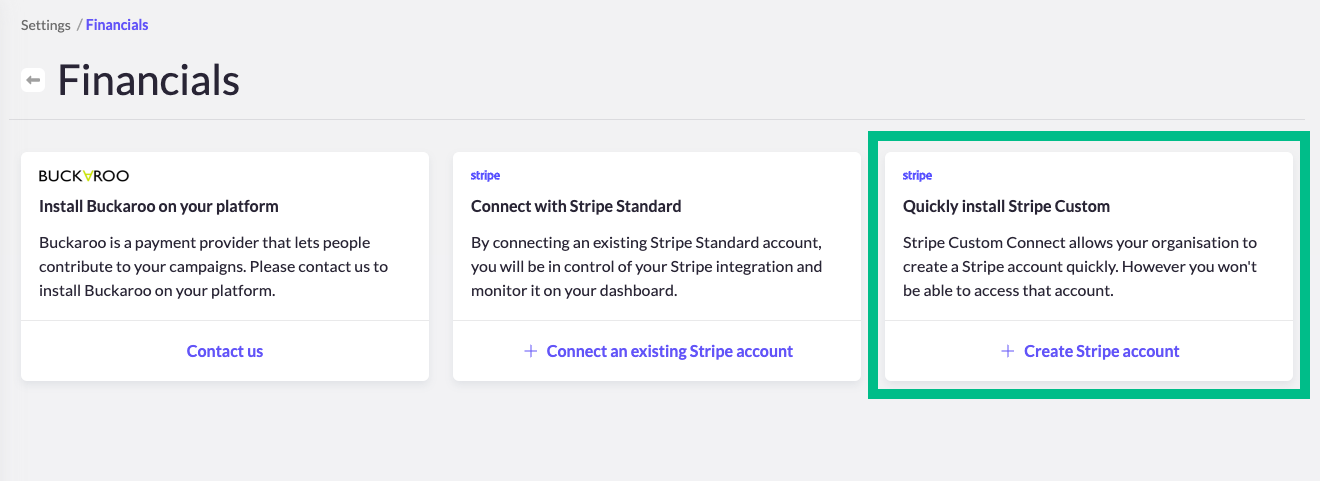
- Go to the “Settings” tab in MyKoalect > Select “Finances > Click on “Create Stripe account” to quickly install Stripe Custom in your MyKoalect.
- Fill in Your Organisation’s Information:
- Enter details such as the official name, VAT number, website, and contact number.
- Provide information about your organisation’s legal representative, including their name, date of birth, nationality, home address, email, telephone number, and a copy of their identity card.
- Board of Directors:
- Provide information of the Board of Directors.
- It’s not necessary to add all members of the Board of Directors; one member’s information is sufficient.
- Upload Additional Legal Documents:
- Depending on your account’s verification status, you may need to upload other legal documents.
- Enter Your Bank Account Details:
- Provide the bank account number where you want to receive your donations.
Tip: You can save your progress at any time and return later if needed. Your account will remain in “Unverified” status until all required information is provided.
Once you’ve completed all steps, your account will be reviewed for verification. This process typically takes up to 1 working day. If your Stripe account is still not verified after this time, check for any additional information that may be required.