
What is the activation e-mail: "abandoned form"?
It's an automatic e-mail to users who started to make a payment, but didn't finish it for any reason.
When is it triggered?
When users filled in your donation form and enter the Payment screen, but don't finish the payment screen, so the payment has not been completed.
Why would users not finish their payment?
There could be several reasons why a user does not complete their payment:
- The user just decided himself not to continue
- The user got distracted and left the payment screen
- The user entered a wrong card code
- The user didn't had enough money on their bank account to cover the donation
- The user bank's card did not got accepted
- Etc...
How can I activate this e-mail?
The 'abandoned form' can be activated in the 'mails' section of your forms and campaigns.
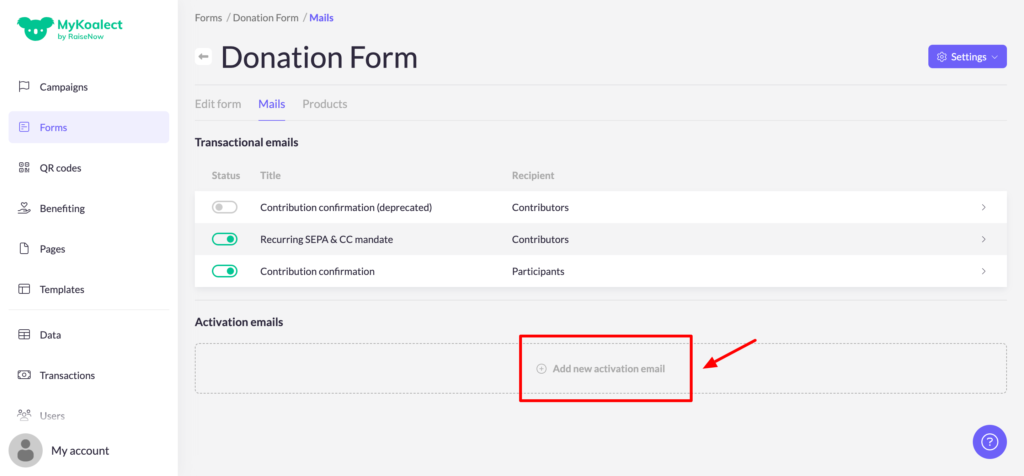
Activation via Forms (Koalect GIVE):
- Click on 'Add new activation email':
- Select the trigger timing for sending the activation email after how many minutes of form abandonment by the user.
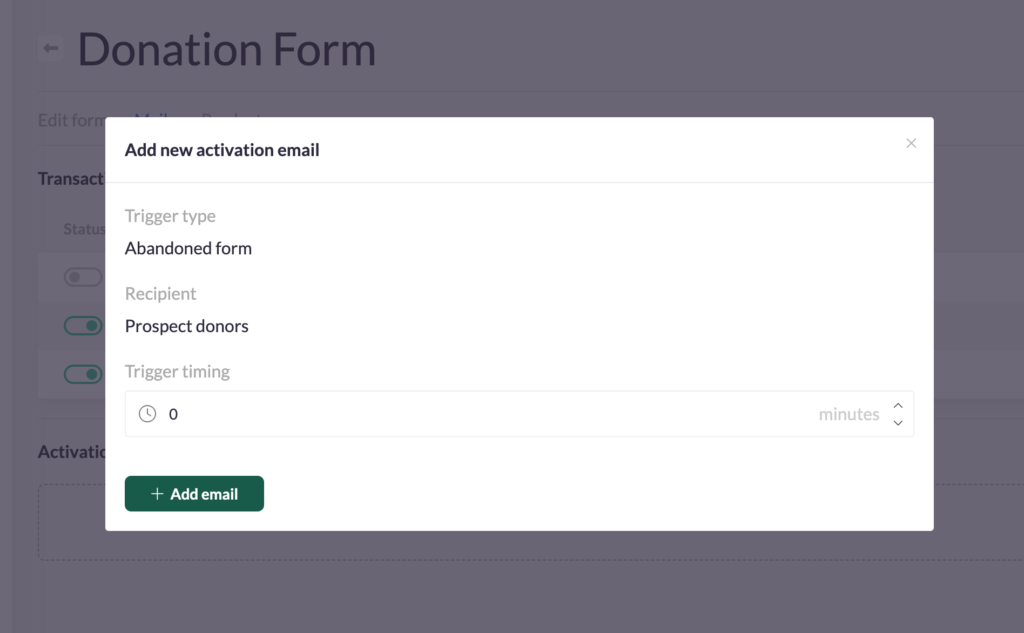
- Click on 'Add email'.
- You can now edit the body of the e-mail.
- Save your progress.
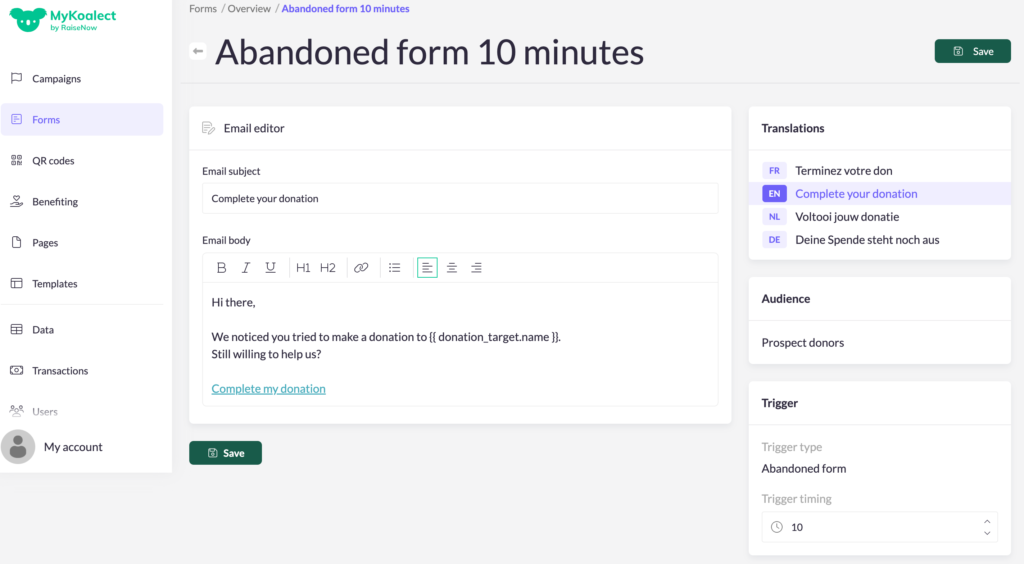
Note: You can only put a minimum value of 10 minutes.
Activation via Campaigns (Koalect DO):
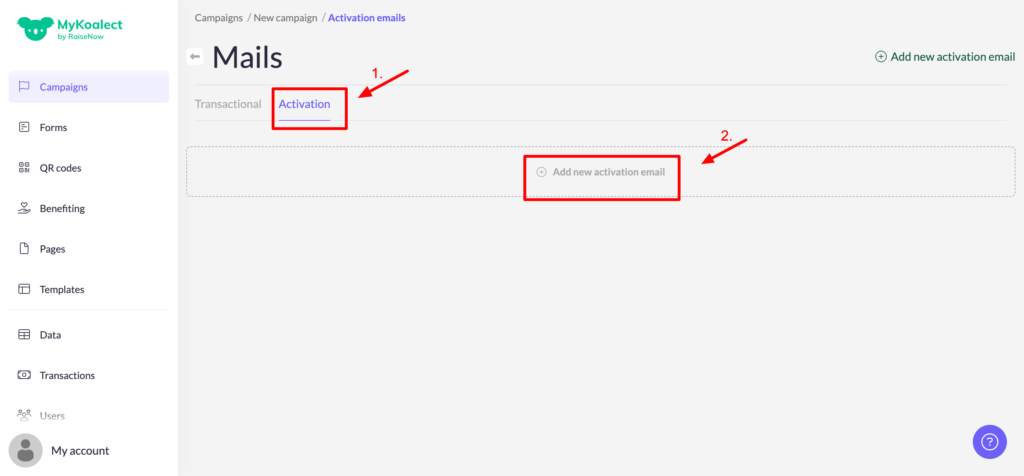
- Go to the 'mails' section of your campaign:
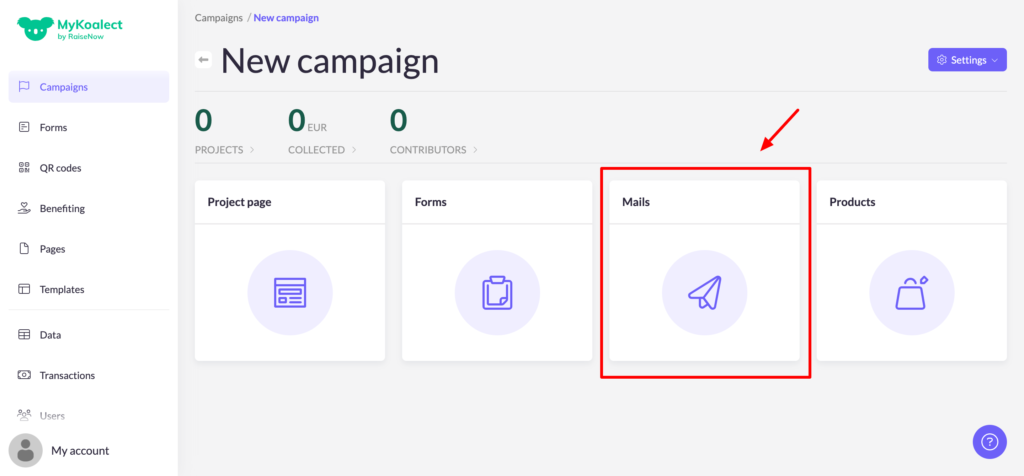
- Click on the 'Activation' tab and click on 'Add new activation email":
- Select 'Abandoned form' as trigger type and select the trigger timing for sending the activation email after how many minutes of form abandonment by the user.
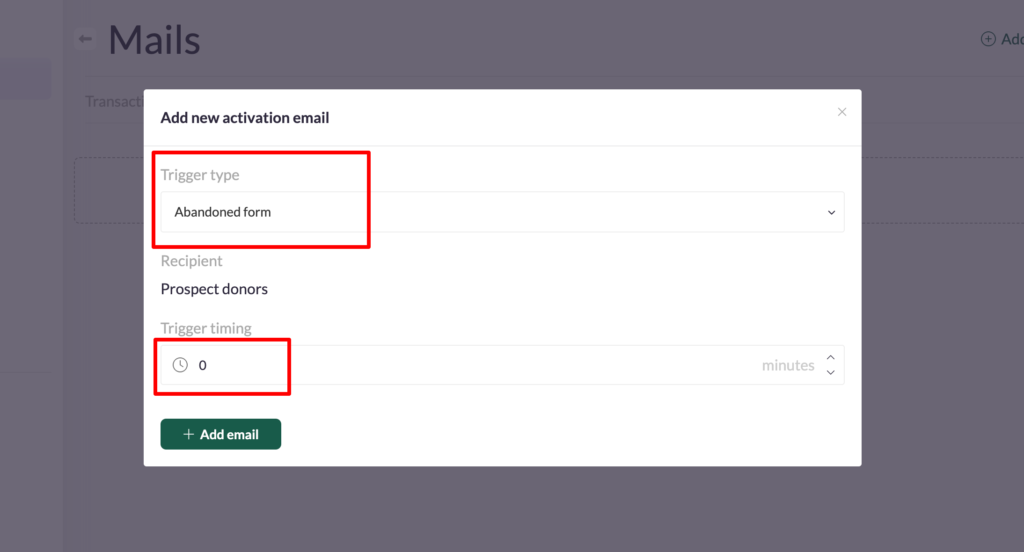
- Click on 'Add email'. You can now edit the body of the e-mail.
- Save your progress.
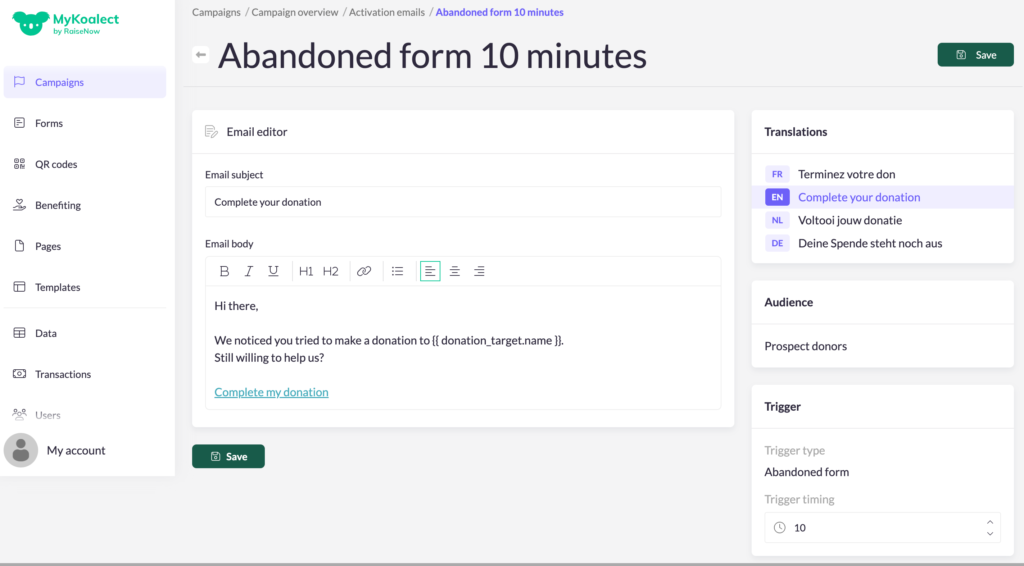
Note: The 'abandoned form' feature will be triggered for incomplete payments in both the 'donation form' and the 'project creation form' of your campaign.
Note: You can only put a minimum value of 10 minutes.
Where can I view users who didn't finish their payment of donation?
In your data exports, there is a column called 'status'. The status will be marked as 'error' if a donation or payment was incomplete.