Contact information of fellow project members
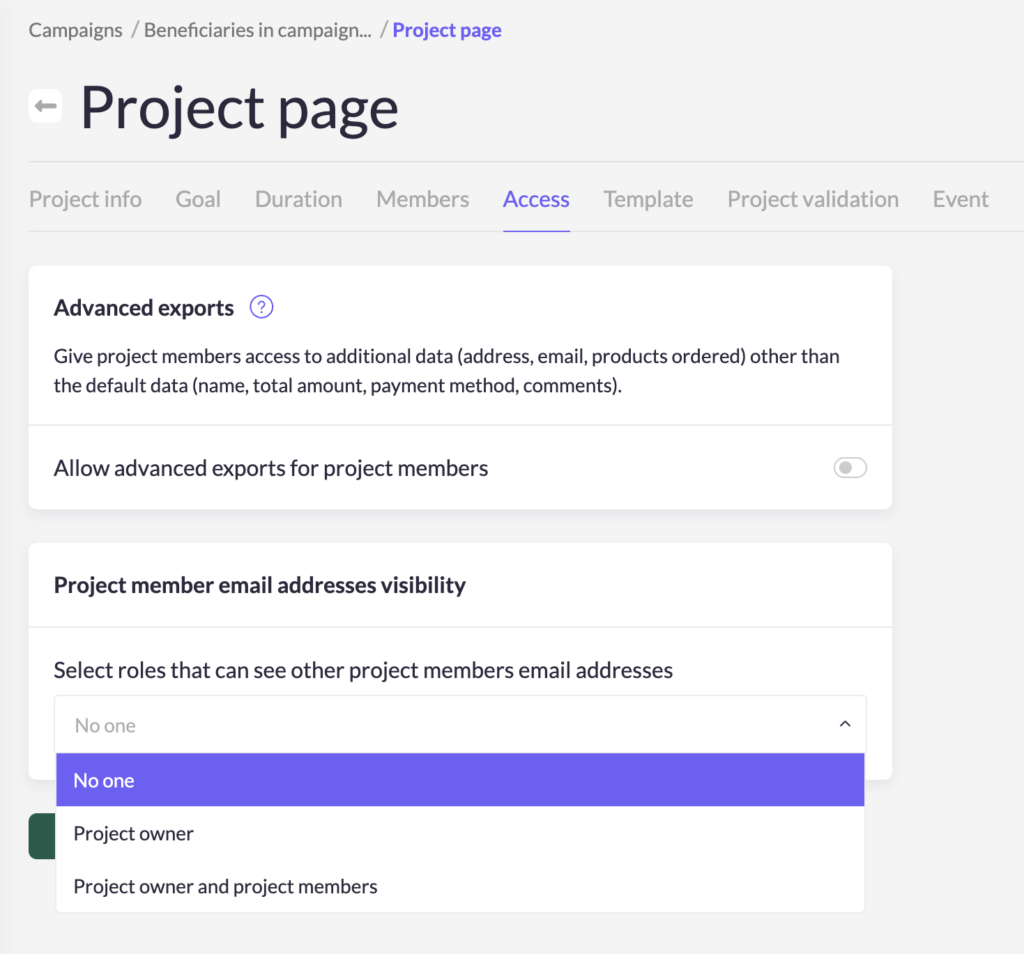
To make collaboration easier, you can choose to show email addresses of people working on the same project. When enabled, project members can see each other’s email addresses, making coordination faster and more transparent.
To change email address visibility for project members, follow these steps:
- Navigate to the 'Campaigns' section and select the campaign you wish to modify.
- Go to the 'Project page' and click on the 'Access' tab.
- Pick a on the 'Project member email addresses visibility' option.
- Save your changes.
Advanced donor lists
For GDPR reason's, project owners can only view very limited donor information directly from their project page, which is:
- Date of the contribution
- The donor's first name
- Payment method
- contribution amount
- Product(s) ordered (when provided)
However, if your project owners require additional donor details, such as addresses or email addresses, you can grant them access to this information. This feature is especially useful for projects involving product sales that require delivery, or events where participants need to be contacted via email.
Tip: Be mindful when enabling this feature. Avoid activating it for every campaign to prevent potential misuse of donor data.
Enabling Access to Additional Donor Data
To grant project owners access to more detailed donor data, follow these steps:
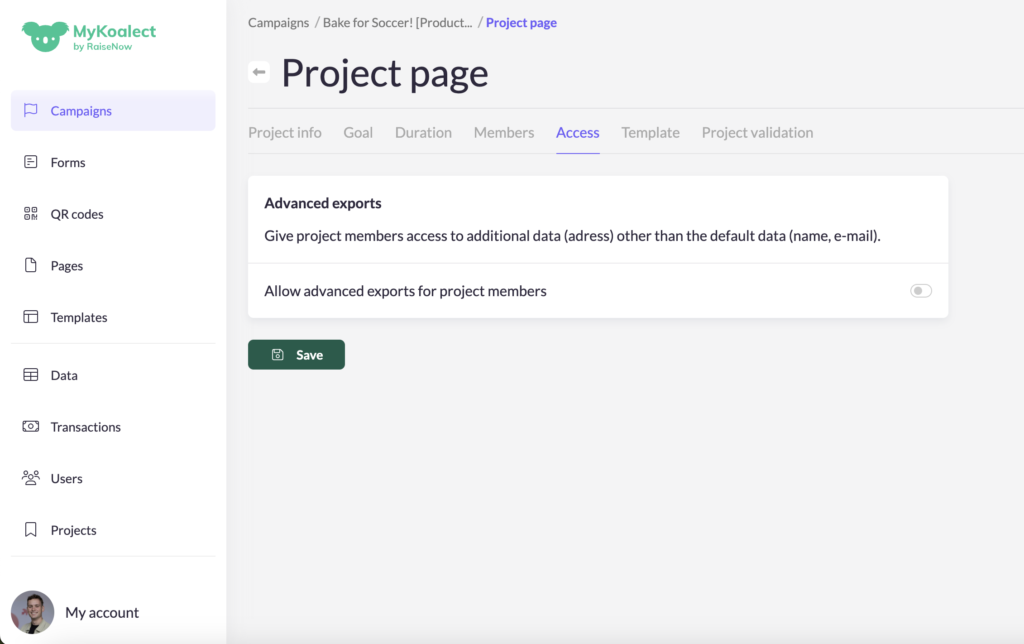
- Navigate to the 'Campaigns' section and select the campaign you wish to modify.
- Go to the 'Project page' and click on the 'Access' tab.
- Toggle on the 'Allow advanced exports for project members' option.
- Save your changes.
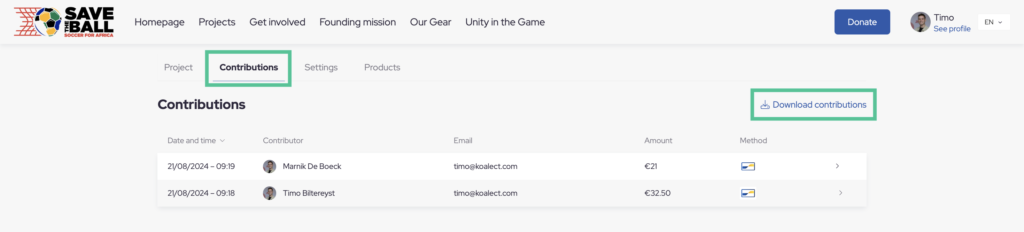
Once enabled, project owners can view following detailed donor data:
- Date of the contribution
- First name and Last name of the contributor
- Contributor's e-mail adress
- Contributor's home adress (when provided in the contribution form)
- Private comment of the contributor (when provided)
- Contribution amount
- Payment method
- Product(s) ordered (when provided)