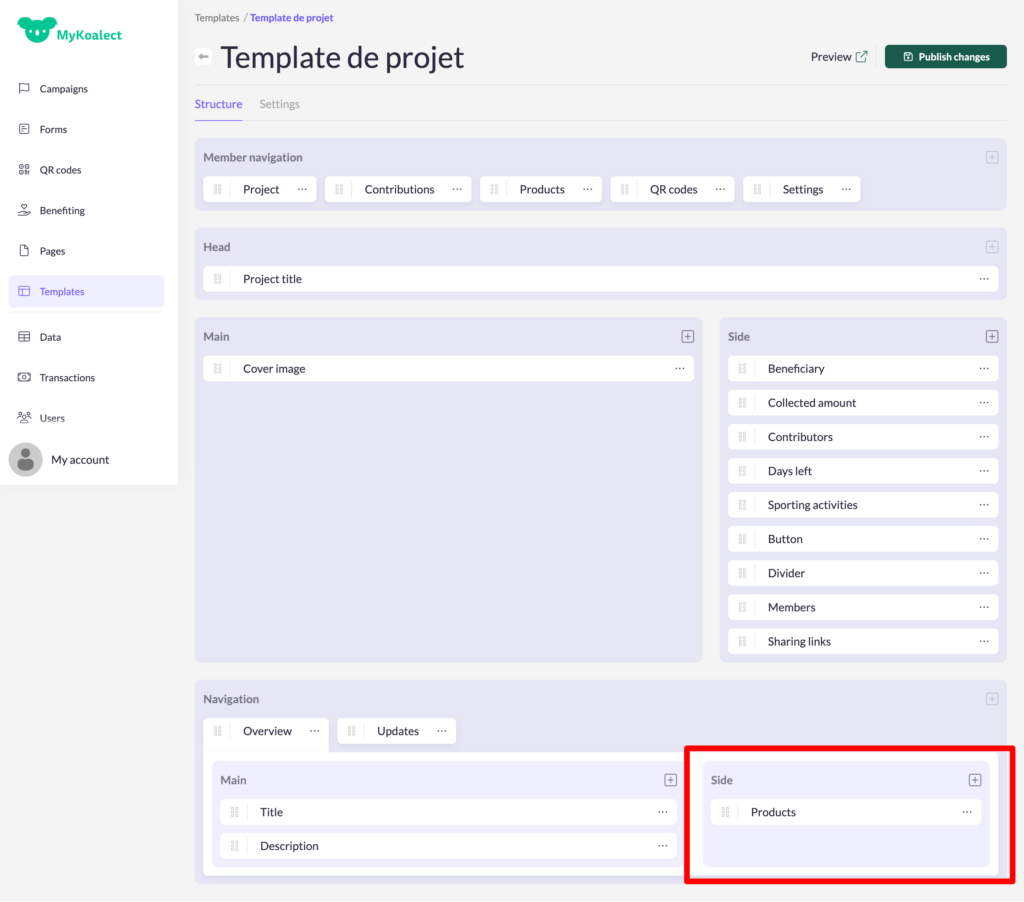
You can empower project owners on your platform to create and sell their own unique products. This gives your project owners a lot of flexibility to raise funds for your organisation in different ways.
In order to let project owners create products on their project page, you will need to activate it in your campaign.
1. Enable products in the campaign
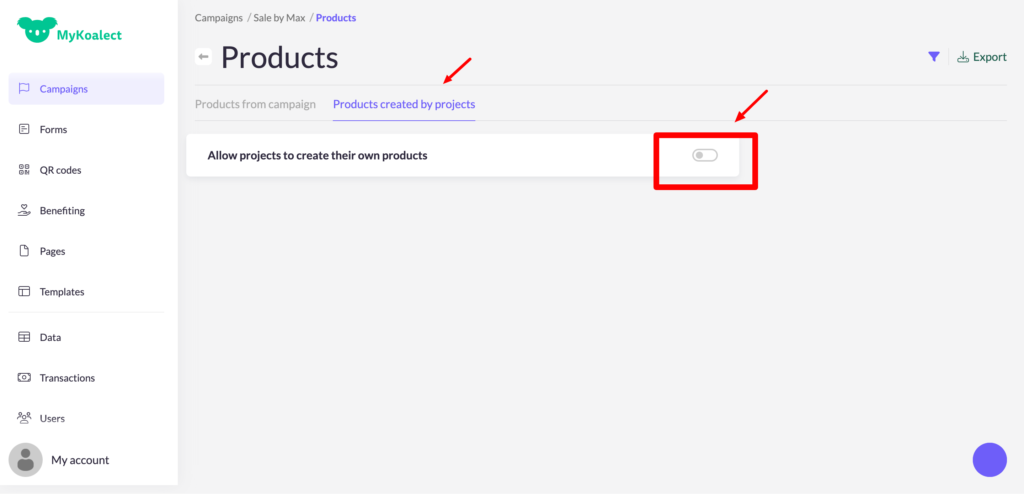
1. Go to your campaign > click on the block 'products' > choose 'products created by products' and activate 'allow projects to create their own products'.
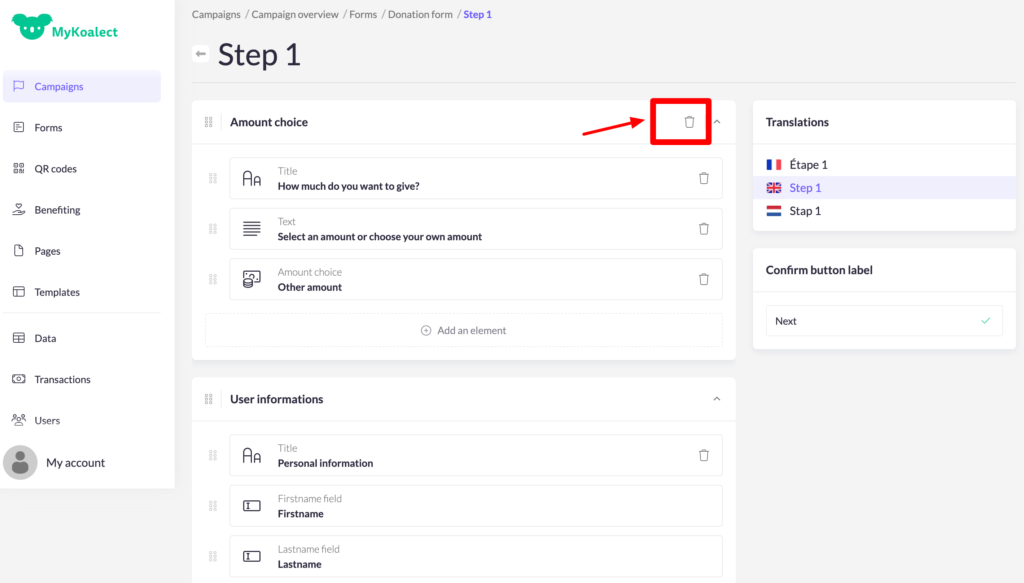
2. In order to make the products that project owners create visible on the project page, you will need to add as well the products element in the donation form in your campaign. You can do this by clicking on the block 'forms' > choose 'contribution form'.
Tip: You can delete the 'donation section' of your form and add the 'products section' instead if your campaign revolves solely around product sales.
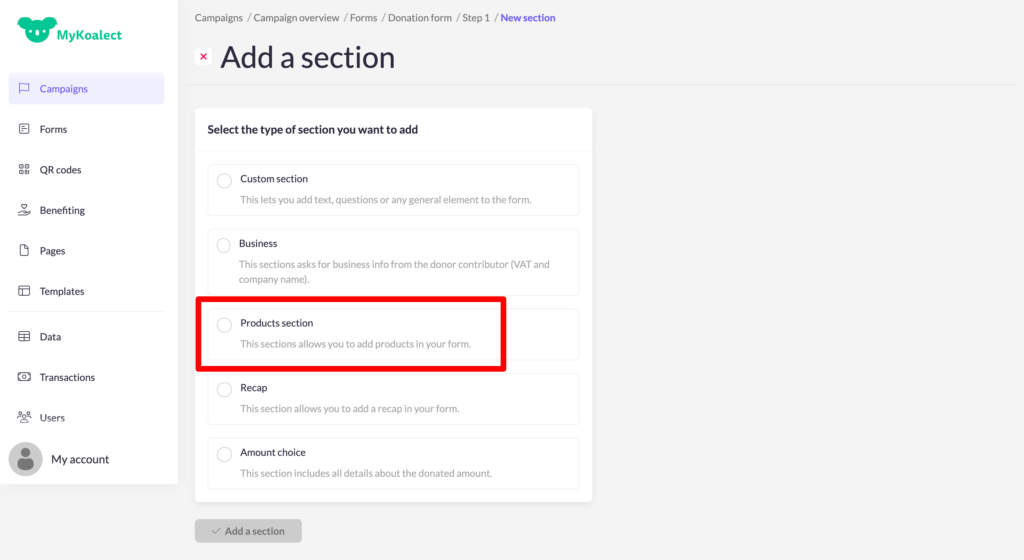
3. Add the products section:
4. Replace the element 'product selection' by the new element 'Products from project page', like this:
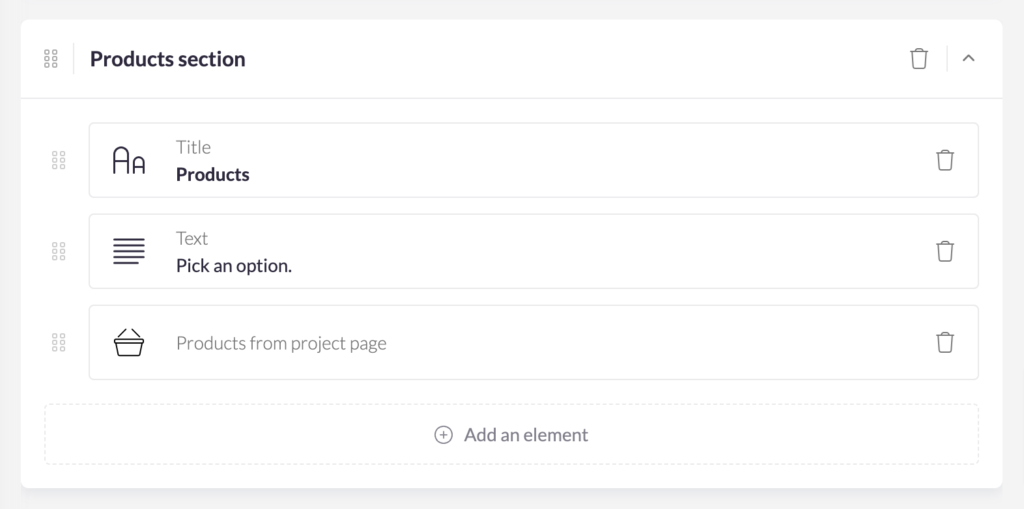
You can move this 'products section' to the top of your form by clicking on the six dots in the left corner.
2. Edit the template of your project page
If you want your campaign products, or products created by the project owner to be visible on the project project page:
- Click on the grey '+' icon in the side section and add the 'products' element.
- Press 'Publish changes'