
This setup checklist is specifically tailored for traditional peer-to-peer (P2P) fundraising platforms. With P2P strategy, your platform allows supporters to create their own fundraising pages to collect donations from friends, family, and colleagues on behalf of your nonprofit throughout the year.
A traditional P2P fundraising platform should offer clear and accessible options, such as setting up project pages for celebrations like births, weddings, and birthdays, as well as supporting sports events or other creative initiatives, including memorials.
Once the P2P campaigns are configured on your platform, there’s minimal ongoing management required. This enables you to focus on promoting your platform and moderating the projects that are generating funds for your cause.
Tip: Scroll down to explore examples of outstanding peer-to-peer fundraising platforms.
Setup checklist
☐ 1. Set up your platform settings
- Follow the instructions in the tutorial video to configure the basic settings of your fundraising platform.
- Refer to the tutorial video to start setting up your peer-to-peer fundraising campaign.
- Fine-tune your campaign settings by consulting this tutorial video.
- Follow the instructions in the project page setup guide to create a compelling project page for your campaign with the correct game rules for your project owners.
- Use the forms setup guide to create and customize forms that users on your platform will fill out.
- Use the Automatic Mails Guide to configure emails that will be automatically sent to donors and participants on your platform.
- If you wish to sell products through the platform, read the products guide to add products related to your campaign.
- Set up the system pages
Read this guide before edit the system pages of your platform to provide answers to frequently asked questions, comply with privacy policy regulations, and more. - Create new landing pages
Follow this guide to create new pages that complement your campaign.- Allow users to create project pages by adding the 'Campaign' element to pages
Use this guide to make your campaigns visible on different pages. - Make project pages visible by adding the 'Project Page Selection' Element to your page
Follow the Project Page Selection Guide to add selection elements for project pages.
- Allow users to create project pages by adding the 'Campaign' element to pages
- Manage the Header and Footer
Refer to the Header and Footer Guide to link your new pages to the header or footer of your platform.
- Create Instructional Pages for Supporters
Develop extra pages that provide guidance on how supporters can effectively use the platform's tools to further your fundraising goals.
- Review and Publish All Pages
Ensure all pages are completed and ready, then publish them. - Communicate with Supporters
Clearly communicate to your supporters how they can participate and contribute to the campaign.
Once you've completed this checklist, your community fundraising platform is ready for action!
Examples of Top Peer-to-Peer Fundraising Platforms
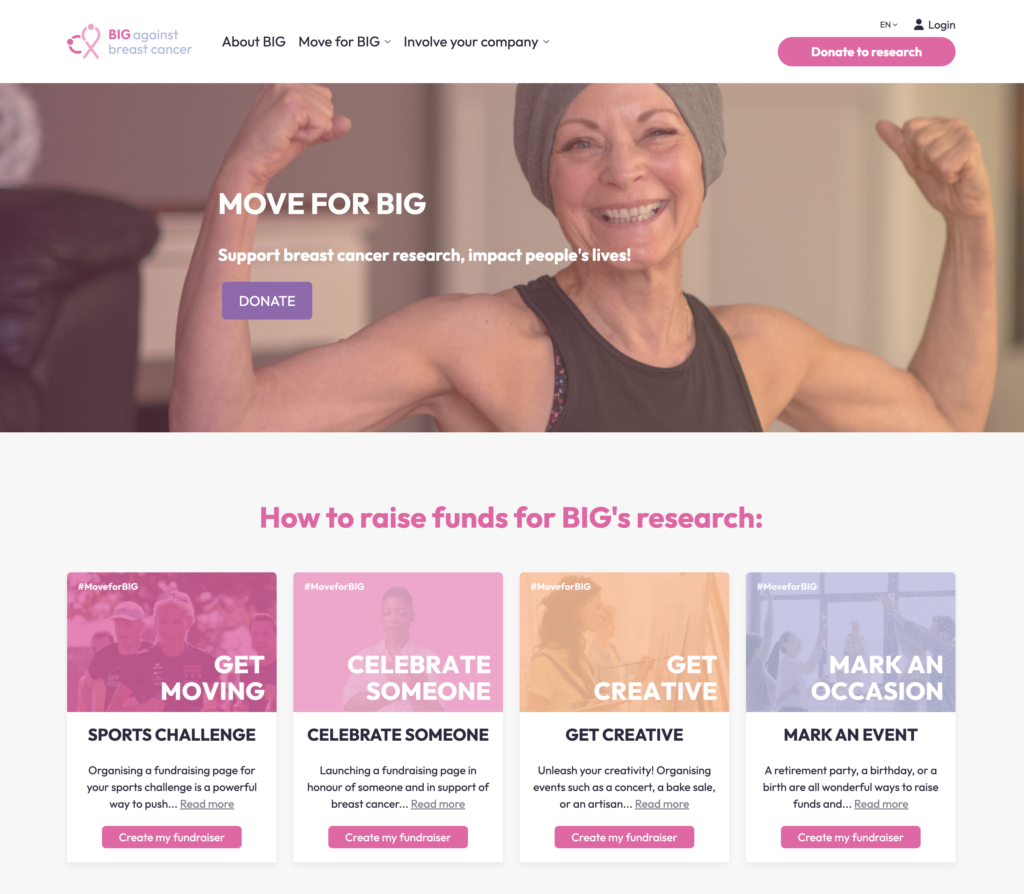
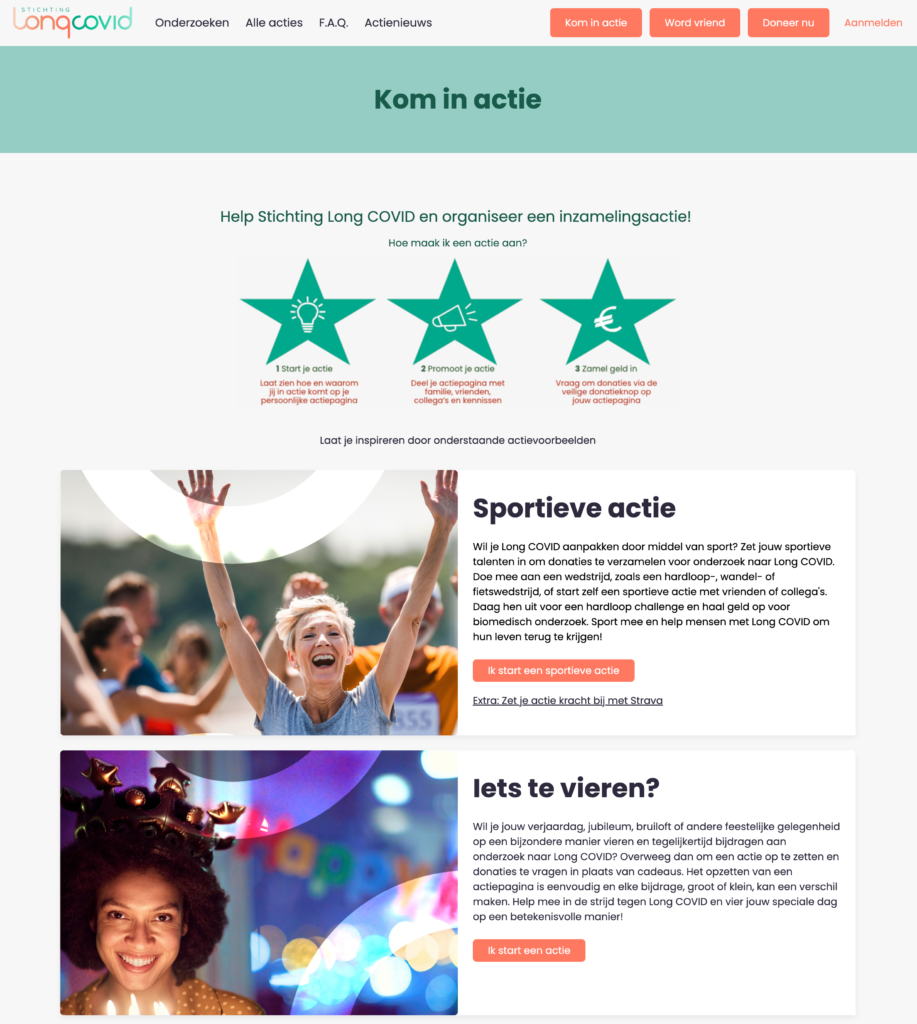
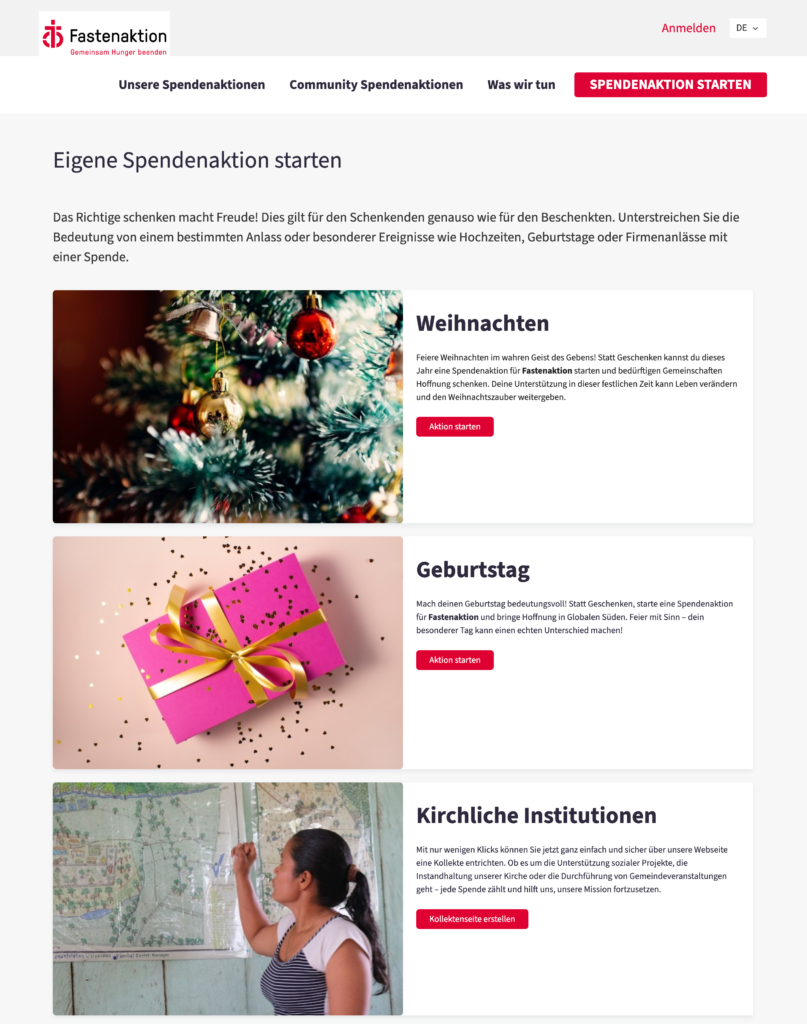
Take a deeper dive on these exemplary platforms:
- BIG against breast cancer NL | FR | EN
- Médecins sans vacances | BE | NL | FR
- Berrefonds | BE | NL
- Longcovid | BE | NL
- Bond Zonder Naam | BE | NL
- CAW Antwerpen | BE | NL
- Ons Tehuis Brabant | BE | NL
- Pegode | BE | NL
- Te Gek?! / BE / NL
- MUCO / BE / NL
- Swiss Barakah l CH l EN
- Fastenaktion | CH | DE
Conclusion:
As you take a closer look at these examples, you can see there's many ways how you can expand your platform. We advise you to focus on two key steps: engaging participants and equipping them for success.
- Engage and recruit your participants
Clear communication about the different ways your supporters can support you is essential. Share your platform to build enthusiasm amongst them! - Train and equip Your fundraisers
Don’t leave participants to figure things out on their own! Provide guidance and resources to ensure their success. Even enthusiastic fundraisers may need tips to be effective.- Set up automated emails (see Step 6) to explain:
- How to use your Koalect platform
- Your campaign, goals, and timeline
- Events and campaign elements
- Create a resource page on your fundraising site. Include materials like:
- A guide to using the peer-to-peer platform
- A style template for social media posts.
- Set up automated emails (see Step 6) to explain:
By empowering participants with these resources, you'll boost their confidence, save them time, and enhance campaign results.