
From January 1st 2024, it will be mandatory to include national registry numbers for tax-deductible donations in Belgium. To learn more about this policy change, you can find detailed information here: NL/FR.
In MyKoalect, you can easily collect these numbers by adding the 'national registry' element to your forms. To assist you with this new requirement, we've developed two strategies that you can implement using your Koalect platform.
Strategy 1: Make the national registry number an optional field in your donation form
You can easily incorporate this element into your form by following these steps:
- Navigate to the form and the specific step where you want to request the national registry number.
- Click on 'add element' and select the 'national registry number' element to include in your form as an optional field.
Strategy 2: Make the national registry number a mandatory field in your donation form, with or without a condition
You can easily incorporate this element into your form by following these steps:
- Navigate to the form and the specific step where you want to request the national registry number.
- Click on 'add element' and select the 'national registry number' element to include in your form.
- You can then decide whether the field should be mandatory or optional, and whether it should be enabled by default or not.
- (optional extra) You can add / edit the short description/information text that comes with it. A few examples from our clients:
- "Your national register number is required to include your tax-deductible donation in the tax return on tax-on-web."
- "NEW: As of 1/1/24, your national number is required to grant your fiscal deduction. You will find it on your ID card. Please enter it here."
- "To provide you with a tax certificate, as a charity we are required to pass on your National Register number to the FPS Finance. We only use it for this purpose. This allows the tax authorities to identify you with certainty so that the tax certificate also appears automatically on your tax return."
- "From now on we need your national register number so that the tax certificate will automatically appear on your tax letter. Easy, right? Donations are tax deductible from €40."
- ... Etc.
- (optional extra) You can add a condition to the element. For example:
- (advise by Koalect) Hide the registry number, when donors indicate that they don't want a fiscal attest
- Show the registry number, when donors indicate that they would like to receive a fiscal attest via the 'fiscal attest' checkbox element
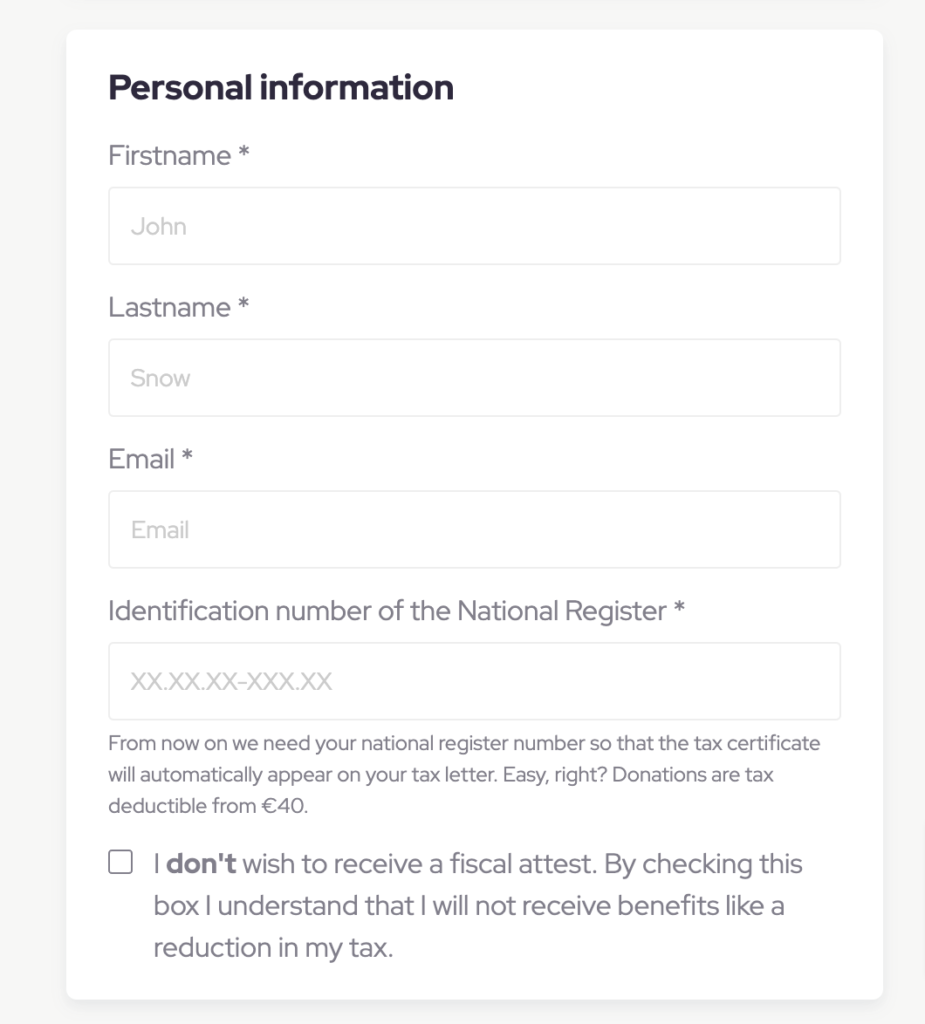
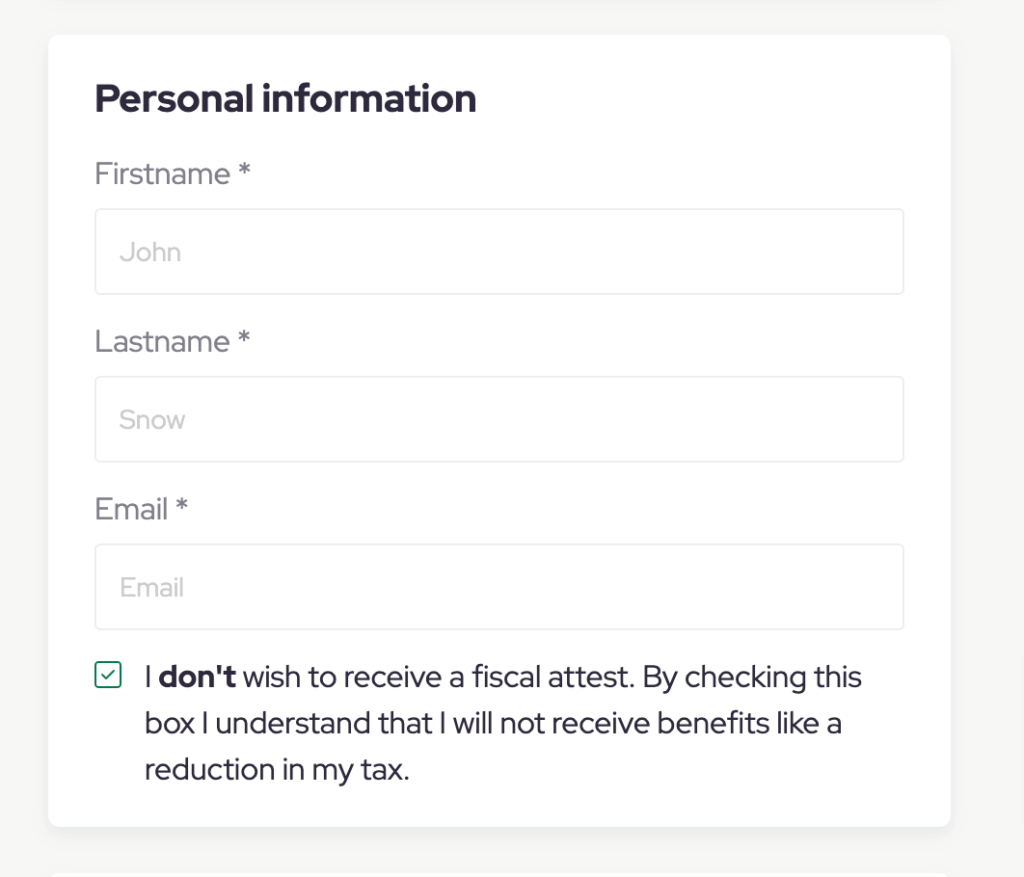
Strategy 3: Request the national registry number in a confirmation or retroactive email
You might prefer to request the national registry number after the donation has been completed. The best solution is then to ask donors to provide their national registry number in a separate form after the donation.
- To do this, create a new form specifically for collecting the national registry number
- Remove the 'amount choice' section and add a new section with a 'national registry number' element to collect this data.
- Make the national registry number element a mandatory element.
- Include a link to this form in the automatic confirmation email sent after the donation is made. This ensures donors have immediate access to the form upon completing their donation.
Alternatively, instead of immediately requesting the national registry number post-donation, you can choose to share this additional form at a later time using your own mailing system.
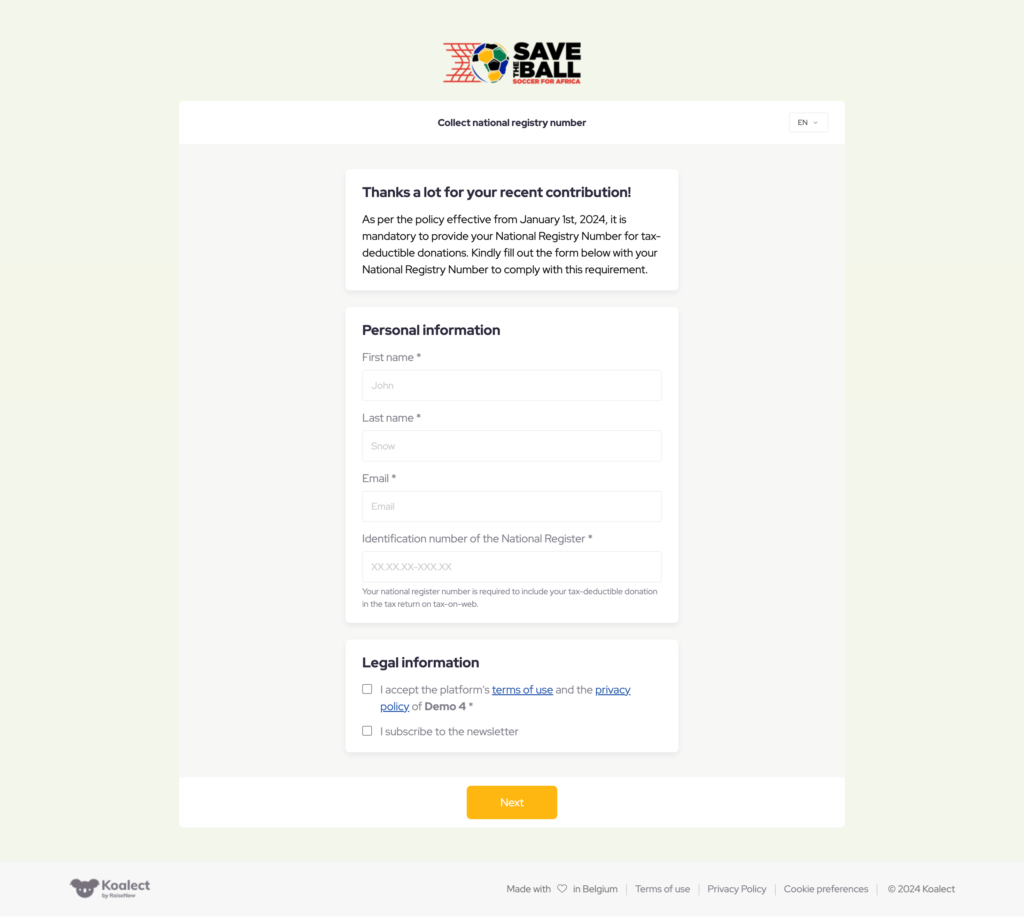 Example of the form to specifically collect national registry number with a mandatory field.