
QR codes are a great way to take your fundraising efforts to the next level. They are a quick and easy payment method that streamlines the transaction process for donors. Making it less likely for them to reconsider their donation.
The major advantage of using our Twikey QR codes is that they not only smoothen the donation process, but also capture important donor data that would otherwise be lost with web or Payconiq QR codes. With Koalect Scan, you can create unlimited QR codes to comprehensively track and analyse your fundraising campaigns.
Note: Interested in learning more about the various types of QR codes? Read this article
Instructions:
To create a new QR code, follow these instructions:
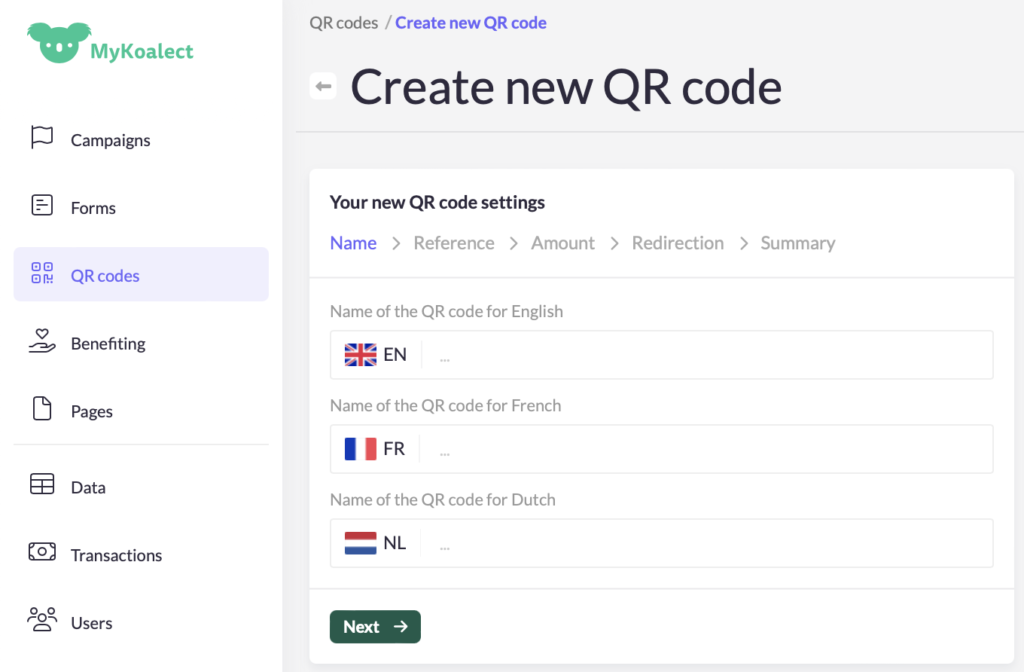
- Navigate to the ‘QR codes’ section > ‘Create new QR code’.
- Fill in the details to generate the QR code.
- 'Name'
- 'Reference'
- 'Amount'
- 'Redirection'
- 'Summary'
Important for KBS - KBF clients:
Include your unique KBS - KBF communication code in the reference of each QR code.
 Note: Once the QR code is created, you can’t change the details.
- A direct link to your QR code.
- The details of your QR code.
- The option to send automatic mails to donors.
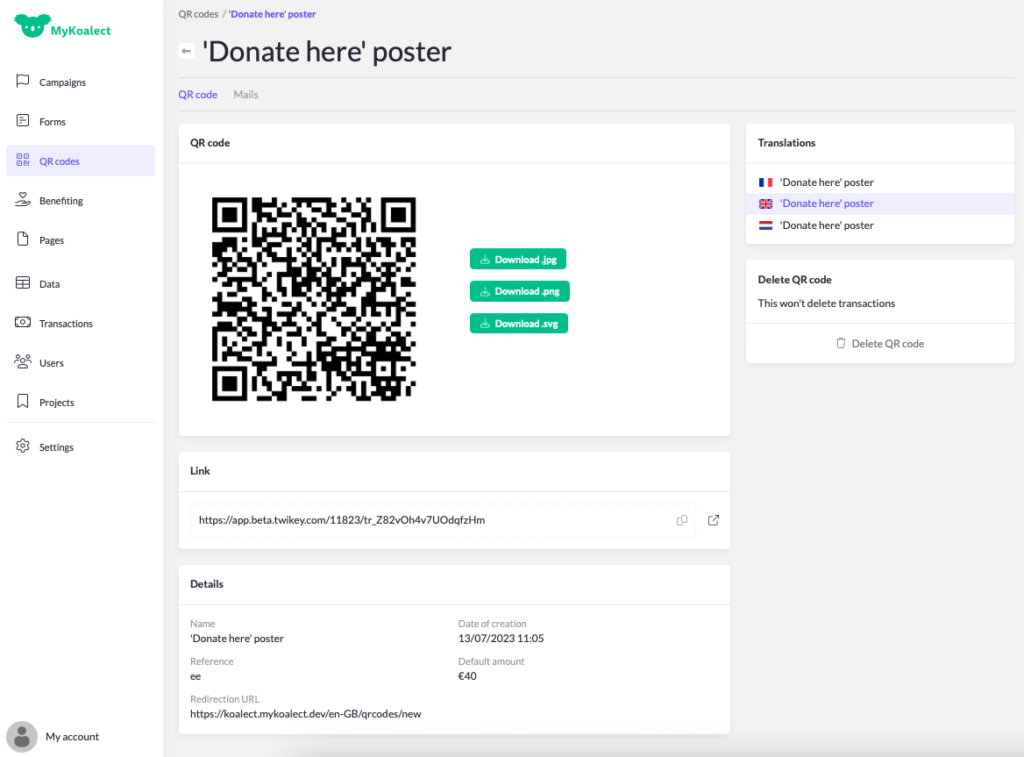 Example of a QR code page.