
Welcome to the Buckaroo onboarding guide! Follow these steps to set up your Buckaroo account:
Steps Overview:
- Complete the Buckaroo Merchant Agreement
- Provide your organisation’s information
- Complete the KYC check of your organization’s UBO (Ultimate Beneficial Owner)
Step 1: Complete the Buckaroo Merchant Agreement
Your Customer Success manager has provided you with the Buckaroo Merchant Agreement document. Which needs to be signed by two UBO's of your organisation
- Fill in General Information:
- Enter the general information about your organization in section 1.1.
- Enter UBO Contact Information:
- Provide the contact details of two UBO's in section 1.2.
- Enter Financial Information:
- Fill in the financial details of your organization in section 1.3.
- Provide the IBAN number where payouts will be made.
- Skip to section 3 for Signatures:
- You can skip all other sections until part 3.
- Ensure the signatures of both UBOs are included.
- Submit Completed Agreement:
- Once the document is fully completed and signed, submit it during the KYC check in step 3 of the Buckaroo onboarding.
Step 2: Provide Your Organization’s Information
- Begin Onboarding Process:
- Use the URL provided by your Customer Success Manager to start the onboarding process. Then press 'Next'.
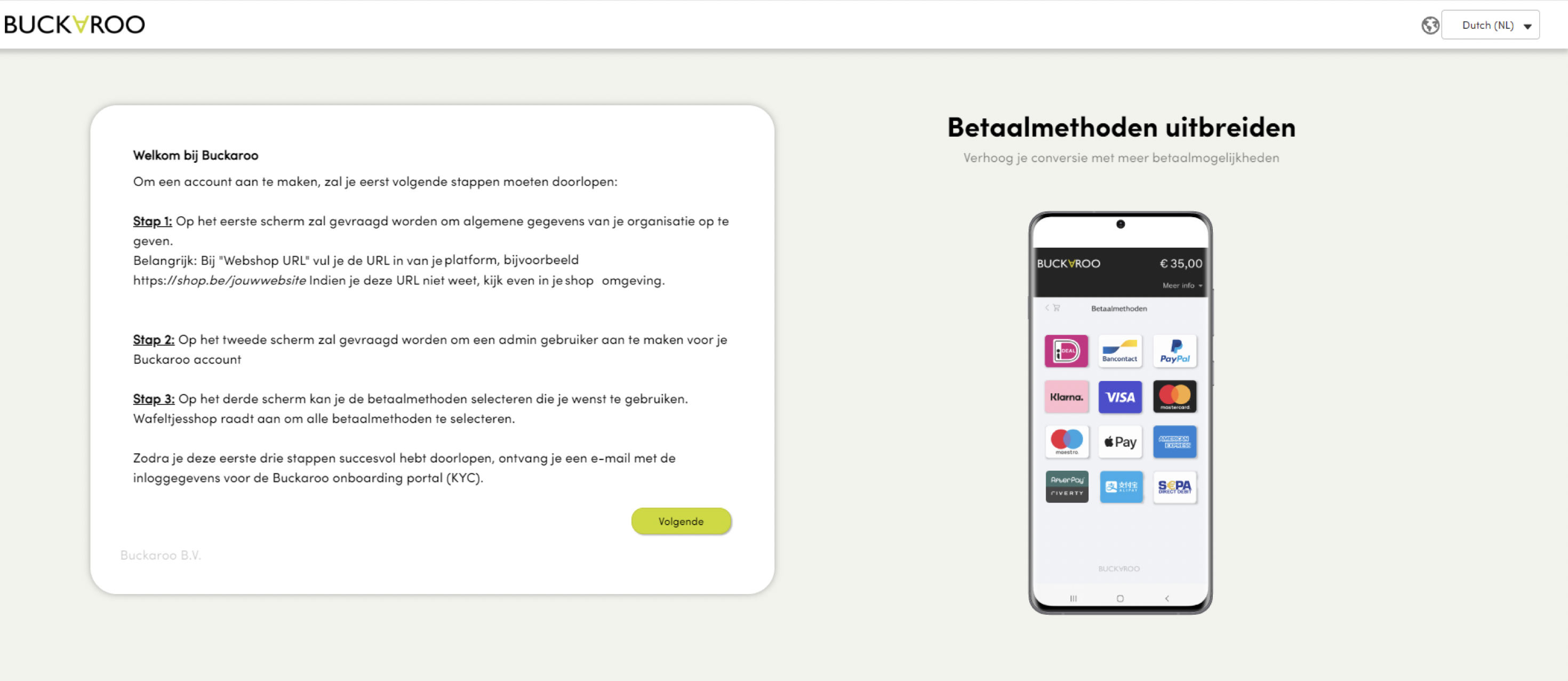
- Use the URL provided by your Customer Success Manager to start the onboarding process. Then press 'Next'.
- Enter Details:
- Fill in the necessary details for your organization.
- Ensure the ‘webshop URL’ field contains the URL of your Koalect platform (e.g., https://organisationname.koalect.com). If you don't know the URL of your Koalect platform, please ask this to your account manager.
- Then press 'Next'.
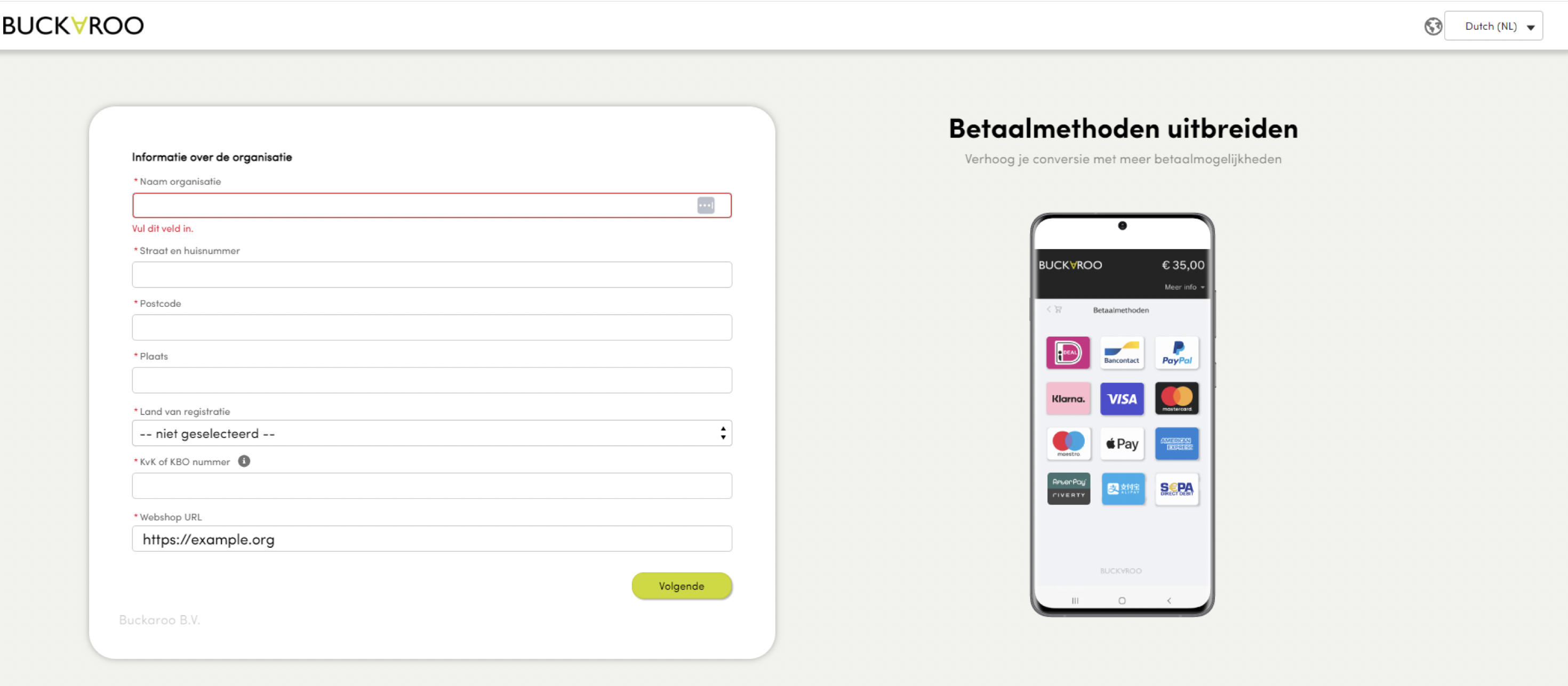
- Add a profile:
- Create a profile for your Buckaroo Plaza account, the dashboard of your payment provider. This profile/login will give you to your own Buckaroo account.
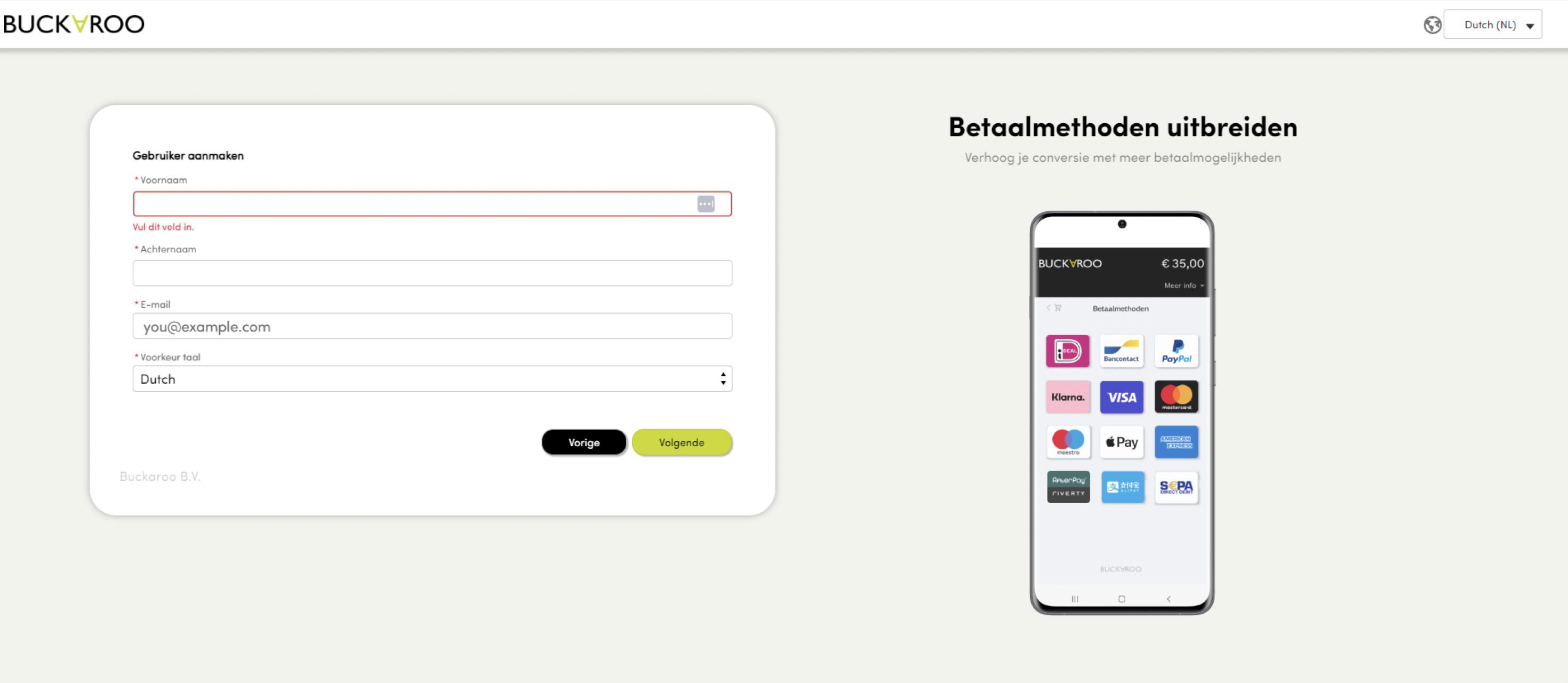
- Create a profile for your Buckaroo Plaza account, the dashboard of your payment provider. This profile/login will give you to your own Buckaroo account.
- Select Payment Methods:
- Choose the payment methods you want to activate. We highly recommend selecting all available methods, also when you will not use all available methods in your Koalect platform.
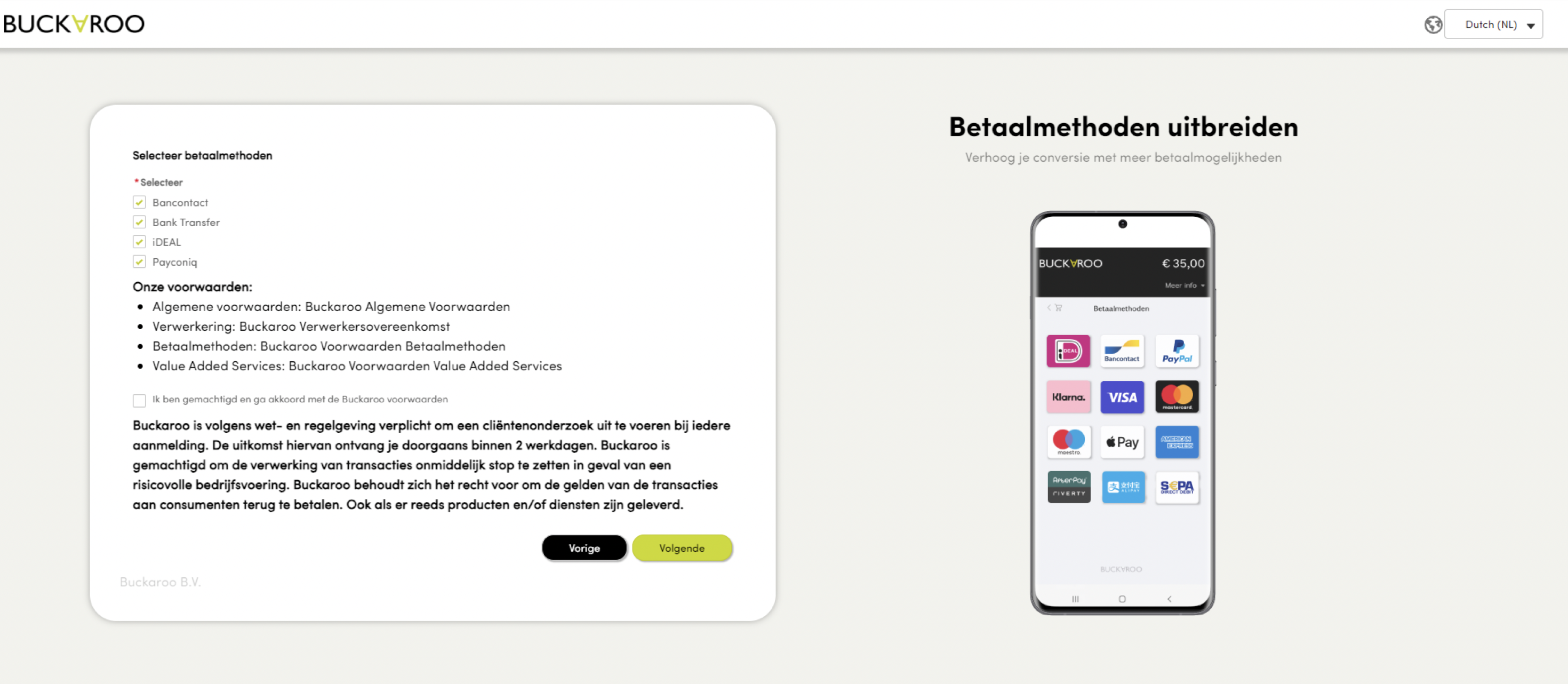
- Choose the payment methods you want to activate. We highly recommend selecting all available methods, also when you will not use all available methods in your Koalect platform.
- Complete Registration:
- After registration, a success screen will confirm your submission.
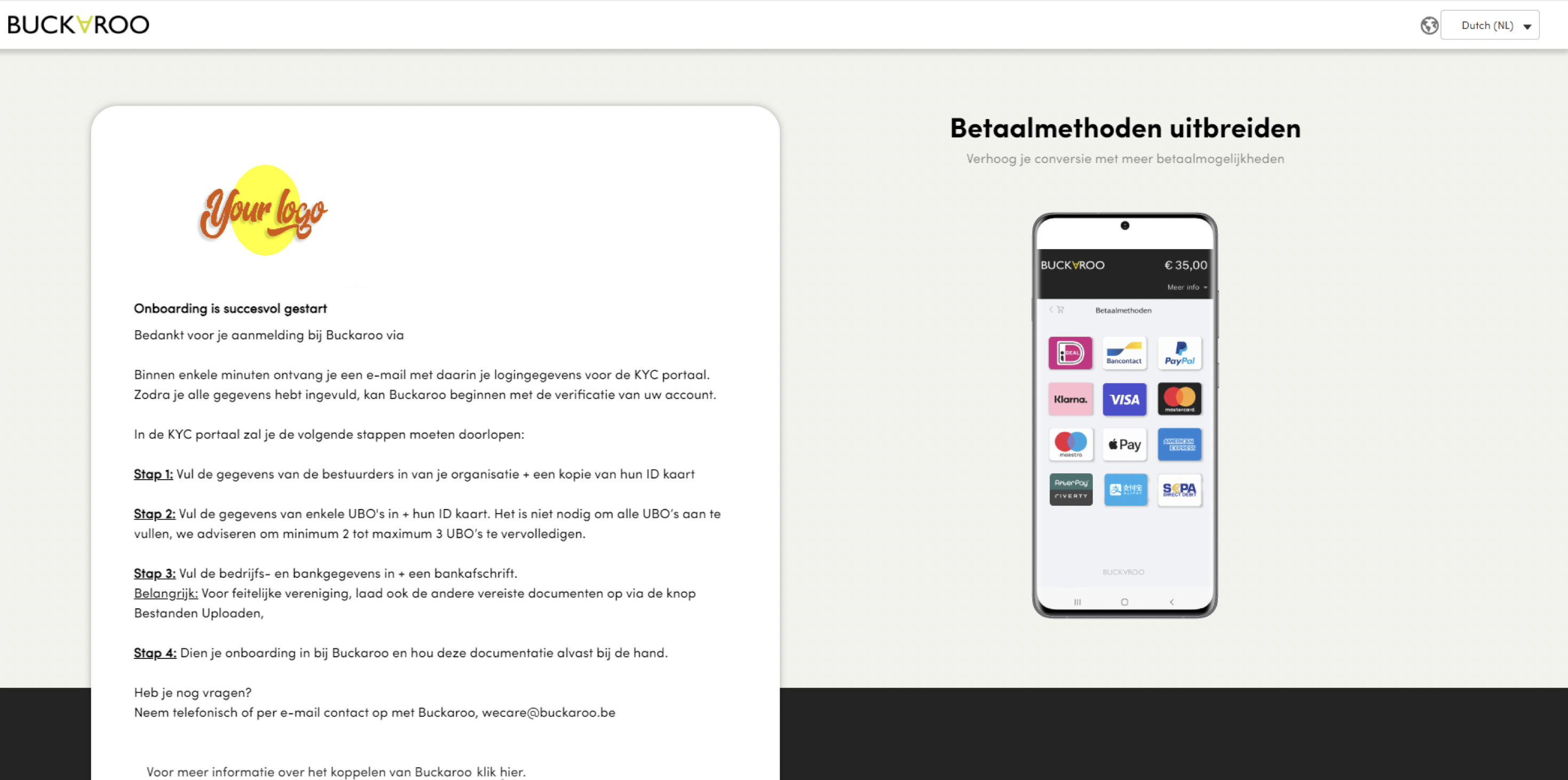
- After registration, a success screen will confirm your submission.
Step 3: Complete the KYC Check for Your Organization’s UBO
Now you've successfully started the onboarding at Buckaroo you are required to partake in a 'KYC' check. Know Your Customer, or KYC, is a requirement that banks and payment providers follow when a customer opens an account. It exists for security purposes to ensure that users are who they say they are and that the funds received won't be used for money laundering, terrorism, or other illegal actions.
- Initiate KYC Check:
- Check your email for an activation link to your Buckaroo Plaza account and click ‘set up password’.
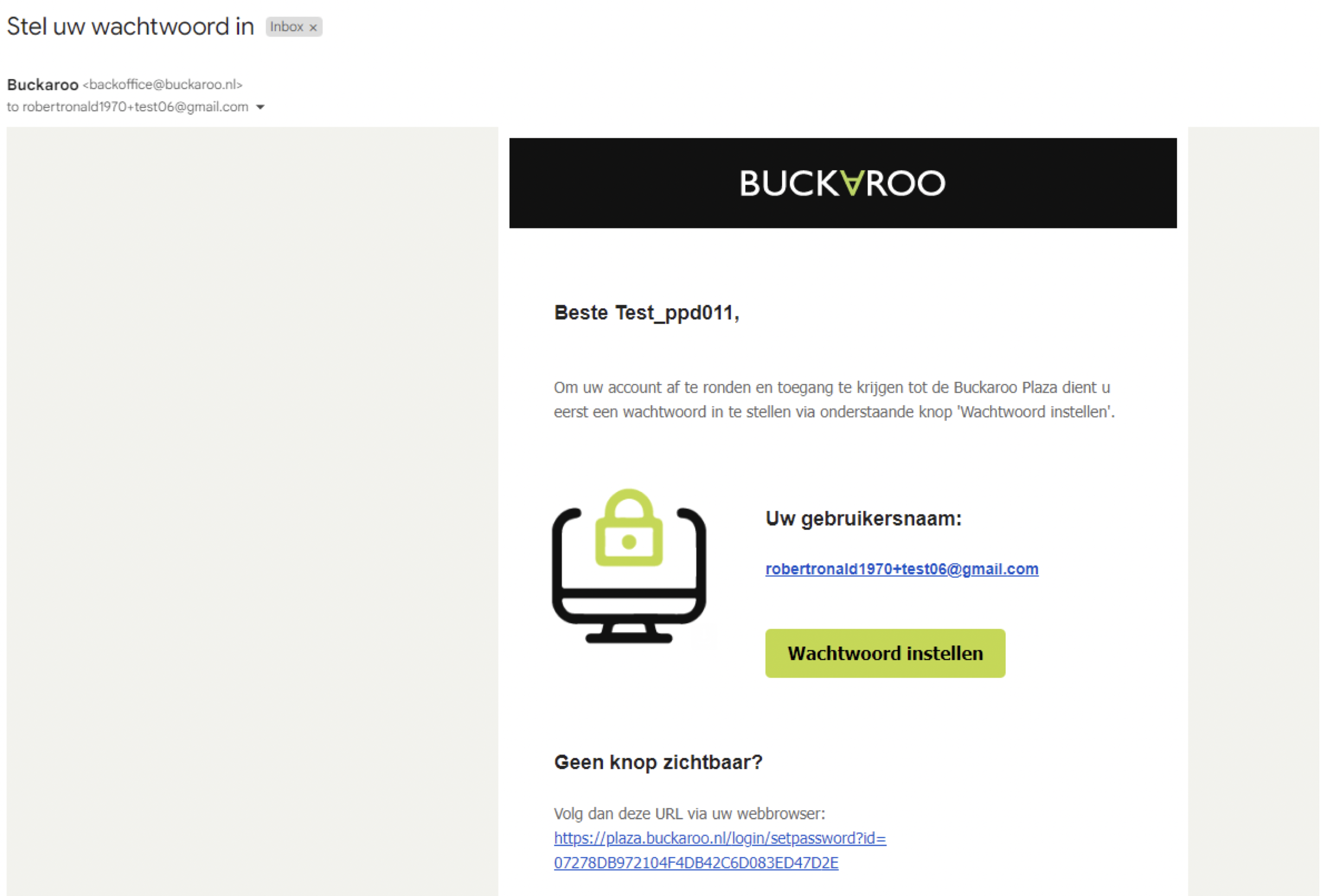
- Check your email for an activation link to your Buckaroo Plaza account and click ‘set up password’.
- Set Up Password:
- Create a new password for Buckaroo Plaza.
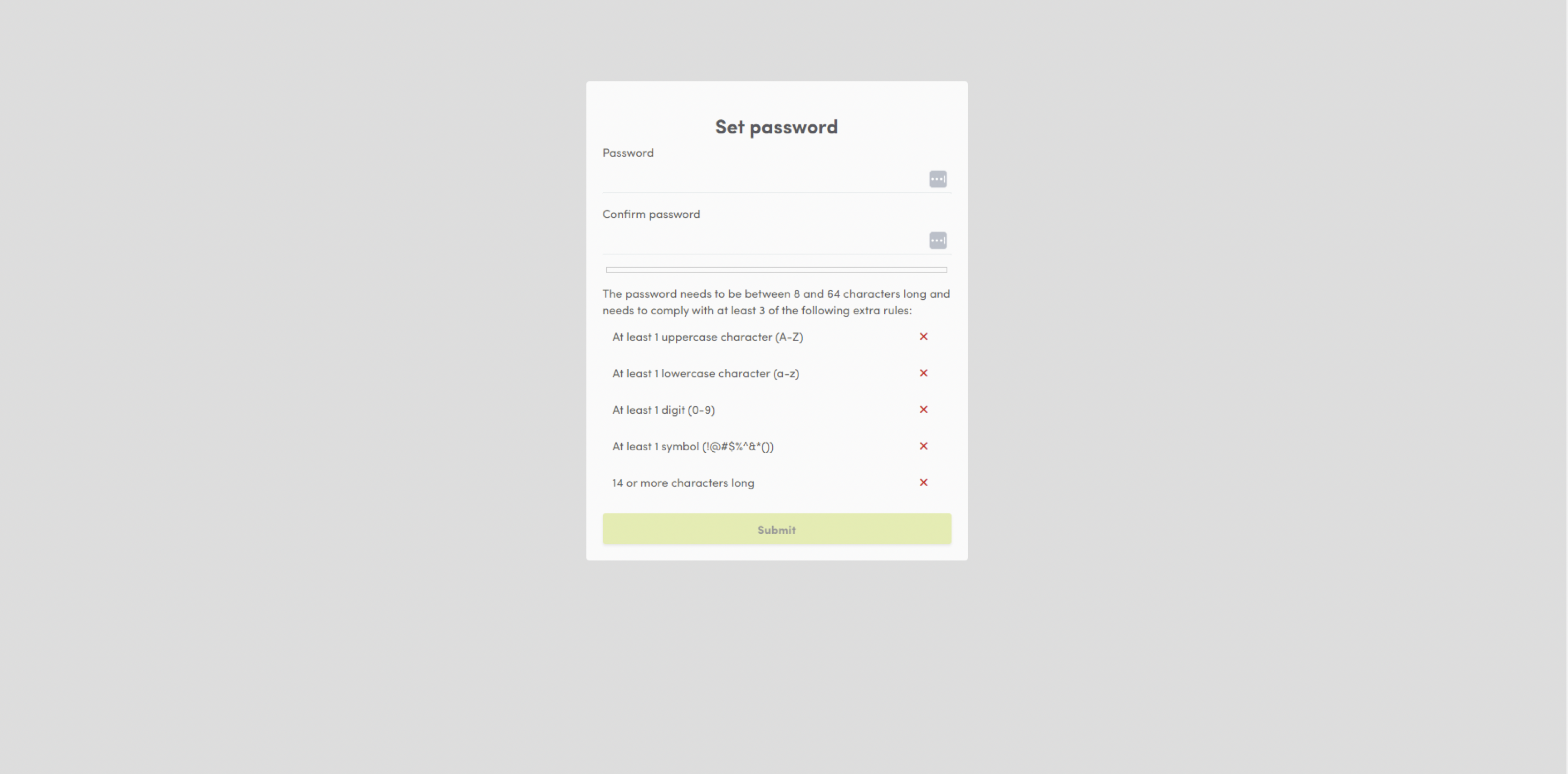
- Create a new password for Buckaroo Plaza.
- Log In:
- Log in to plaza.buckaroo.nl with your new account.
- Navigate to the ‘onboarding menu’ in the left column.
- Fill in Platform URL:
- Enter the URL of your Koalect platform as provided by your Customer Success Manager (e.g., https://organisationname.koalect.com).
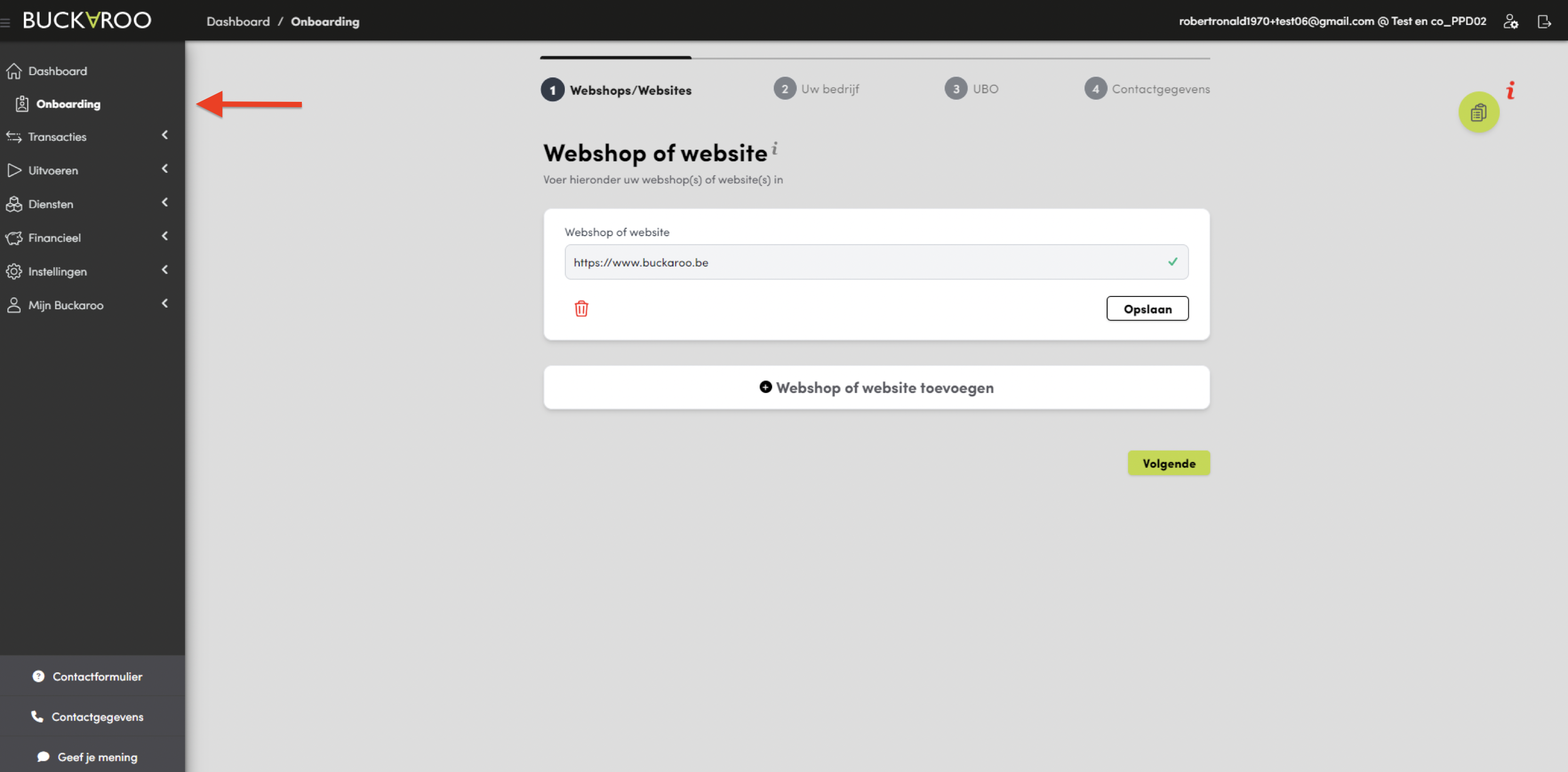
- Enter the URL of your Koalect platform as provided by your Customer Success Manager (e.g., https://organisationname.koalect.com).
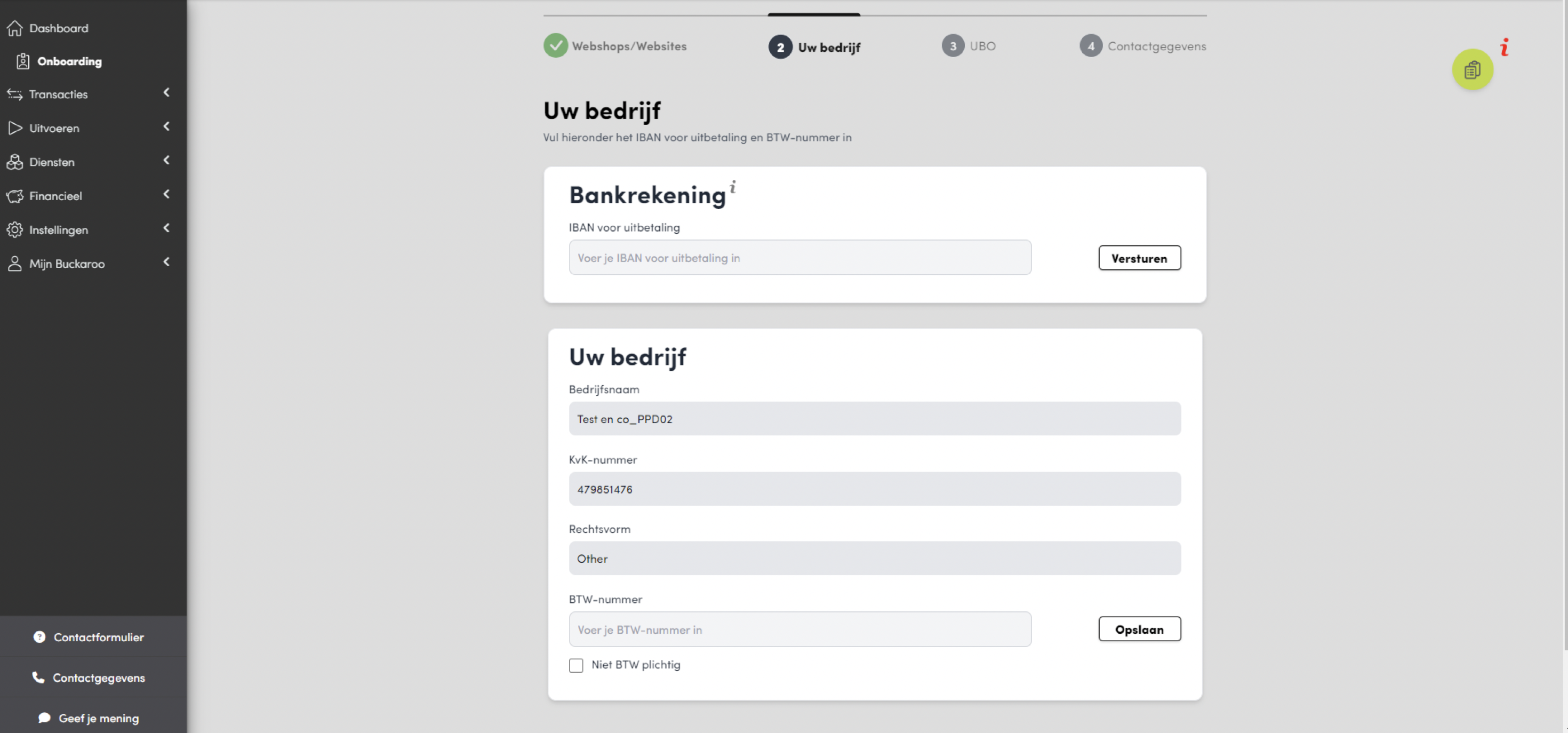
- Enter Financial Details:
- Provide your IBAN (the bank account where donations will be received).
- Upload a receipt (no older than three months) to verify your organization as the account owner.
- If you lack a VAT/KvK number, use your CBE or organisation number.
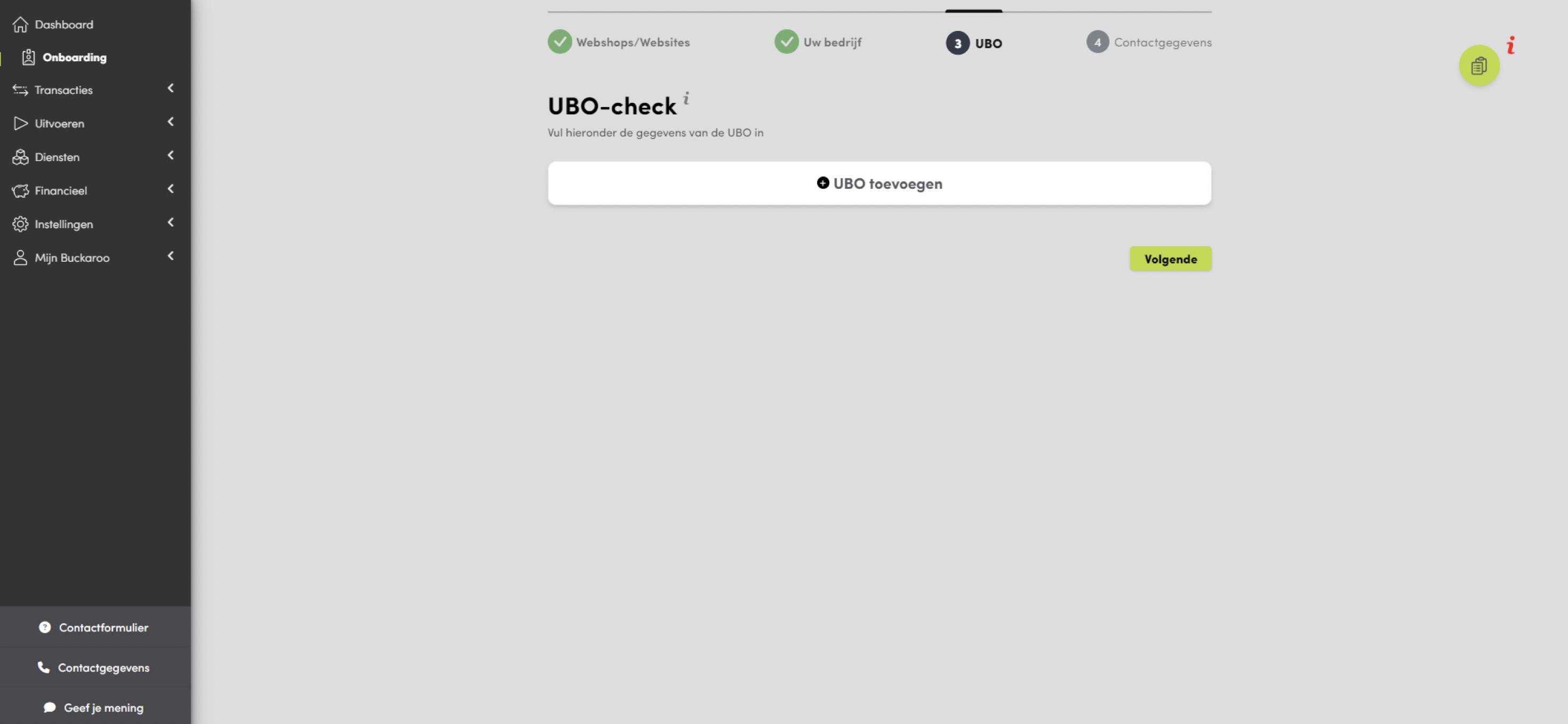
- Verify UBO Information:
- Fill in details for at least two or three UBOs (individuals who ultimately own or control your organization).
- Upload identification (ID card, driver’s license, or passport) for each UBO.
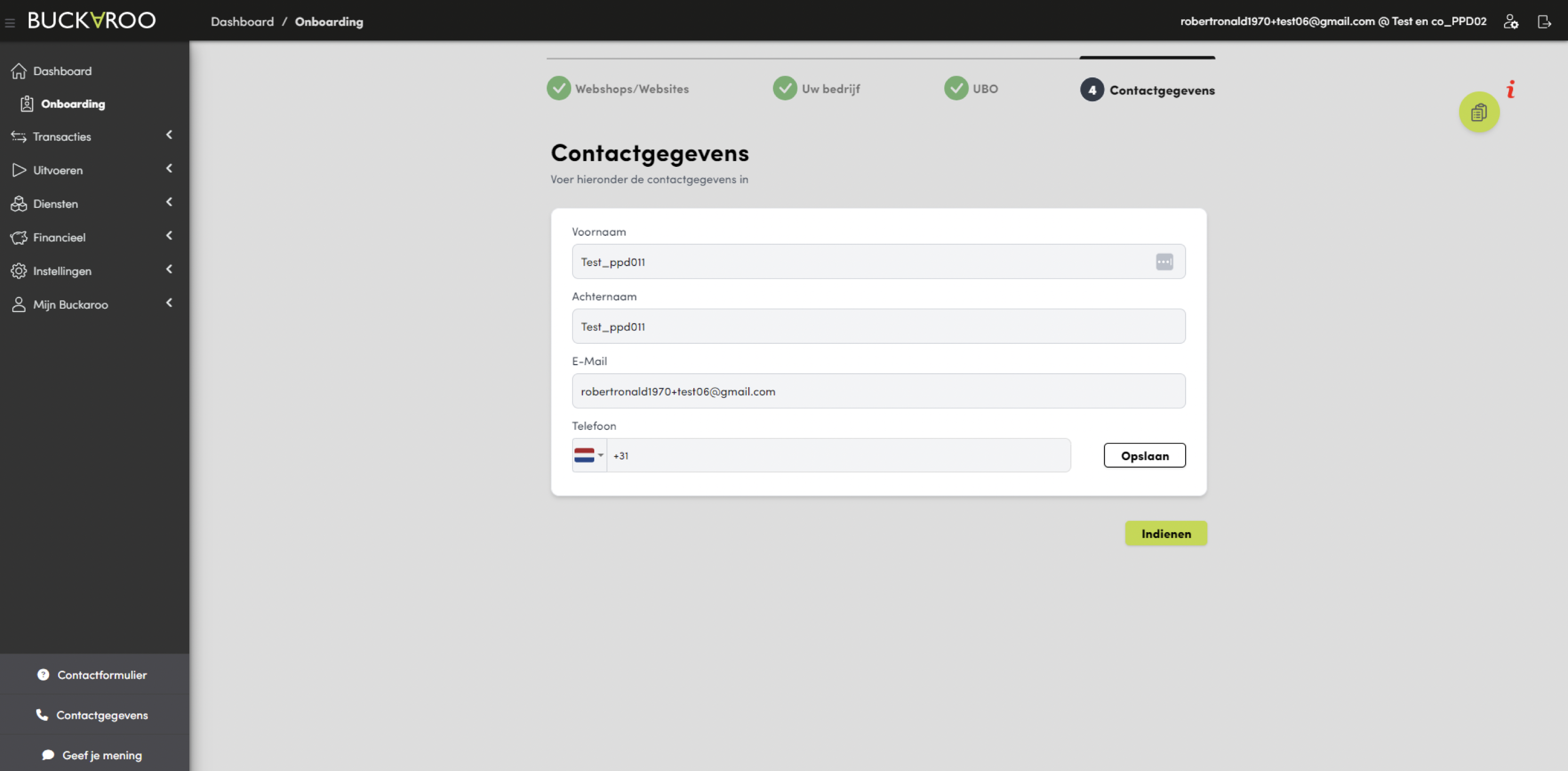
- Enter their personal information and click ‘next’.
- Upload Connection Agreement:
- Press the documents button in the top-left corner.
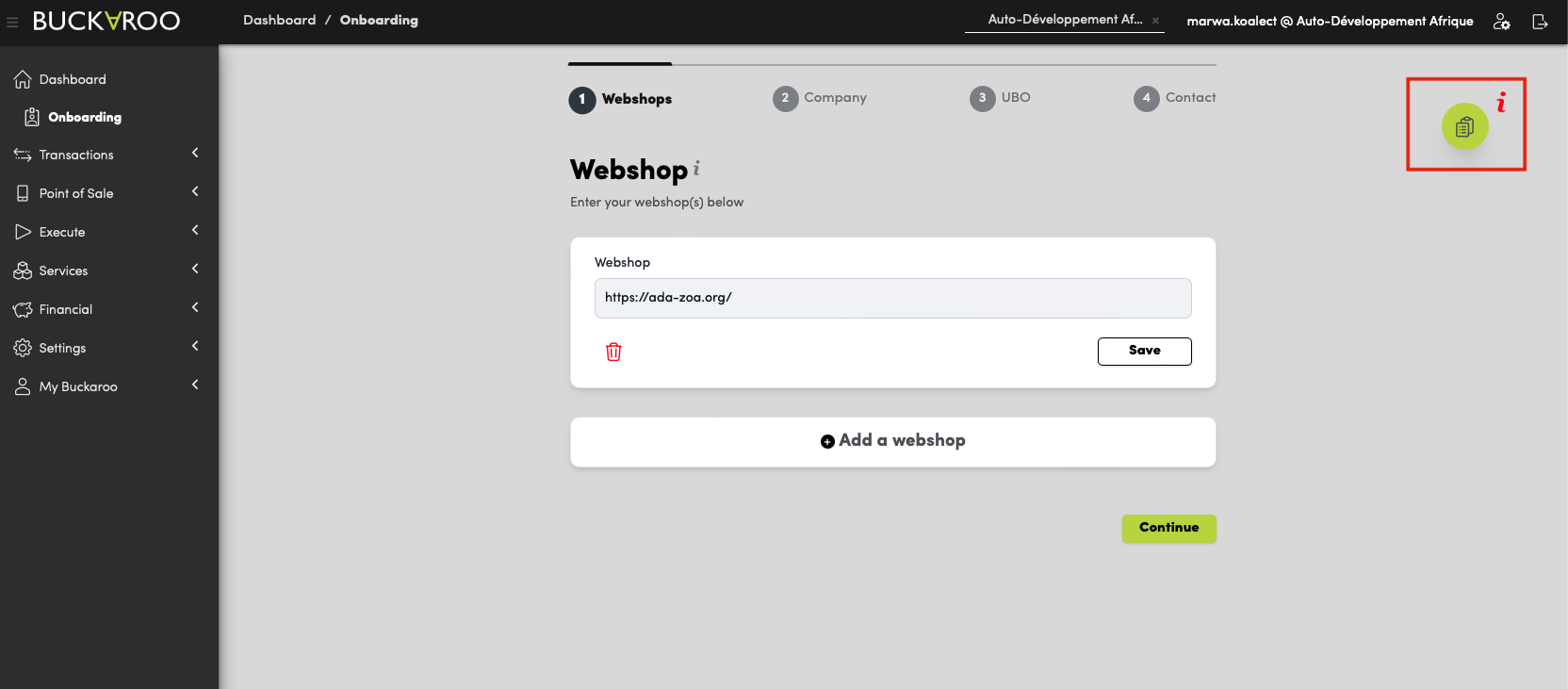
- Add the attachment of the Connection Agreement.
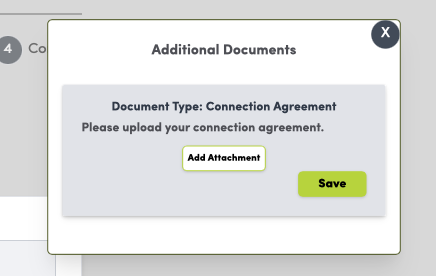
- Save your progress.
- Press the documents button in the top-left corner.
- Submit for Validation:
- Once all information is provided, click ‘Submit’ to complete the KYC check. A Buckaroo employee will validate the information.
- Once completed the Buckaroo onboarding takes approximately one workweek to be completed and integrated in your Koalect account.
- Your Koalect account manager will update you as soon your Buckaroo account is approved. Please contact your account manager if you need more information.
Once validated and integrated, your Koalect account will be ready to receive payments.
Need Help?
If you encounter any issues during the onboarding process, please reach out to your dedicated Customer Success Manager for assistance.