
Does your organization prefer to manually activate domiciliations? If so, you will need the donor's banking details (IBAN number and BIC) to initiate the monthly transactions. To gather this information, consider creating forms as shown below:
- Create a form exclusively for manual domiciliations
- Video tutorial: Create a form for both one-shot donations and monthly (manual) domiciliations
1. Create a form exclusively for manual domiciliations
- Create a new form.
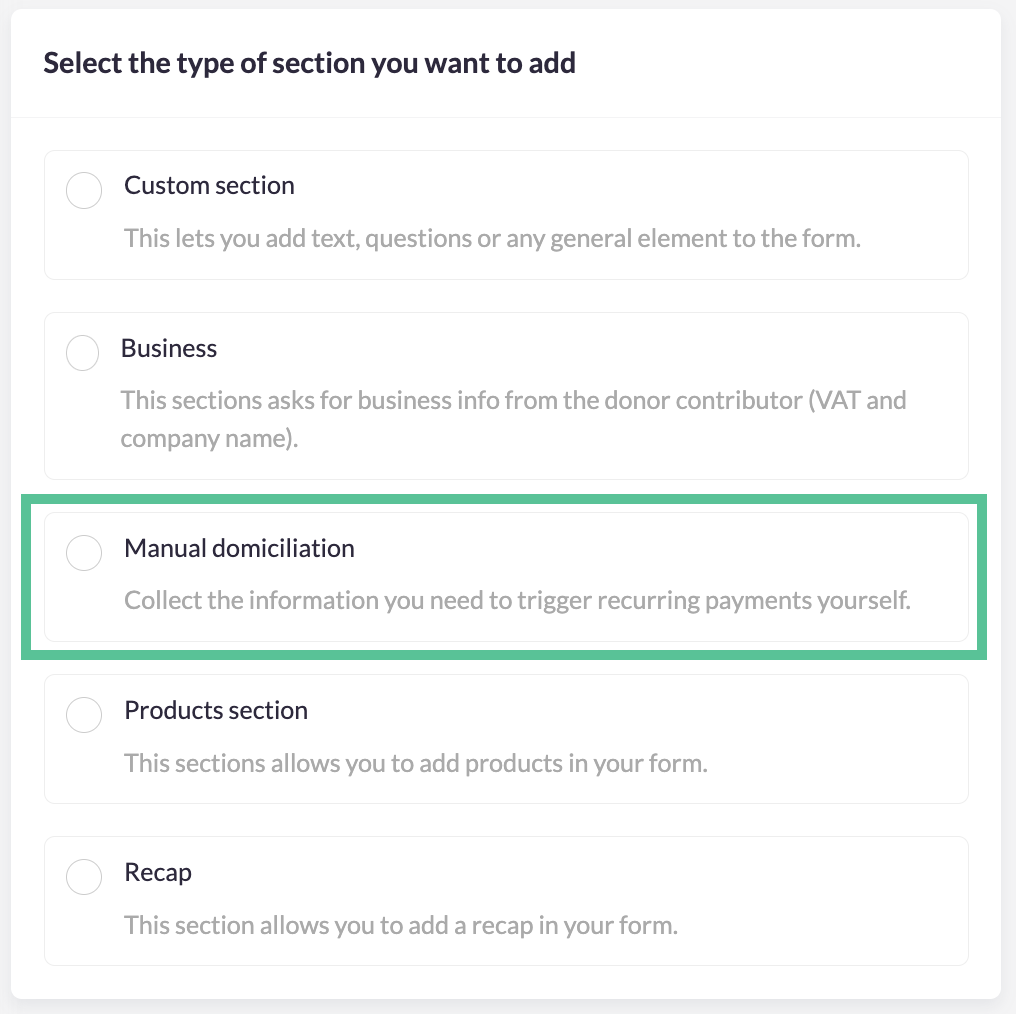
- Add a new section to the form 'manual domiciliation' to the form and move the section to the place in the form where you would like to put it, for example as first section.
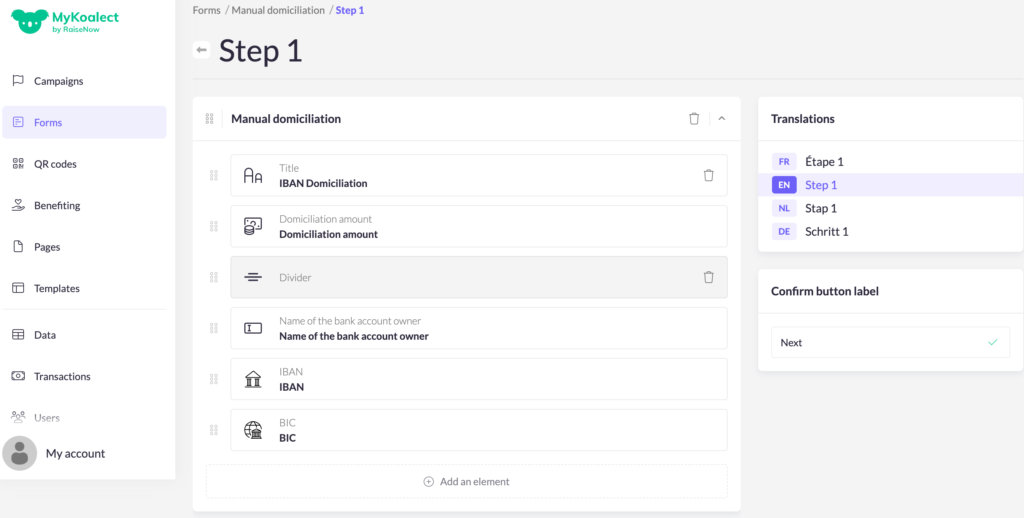
- Personalise the elements from the section, if needed.
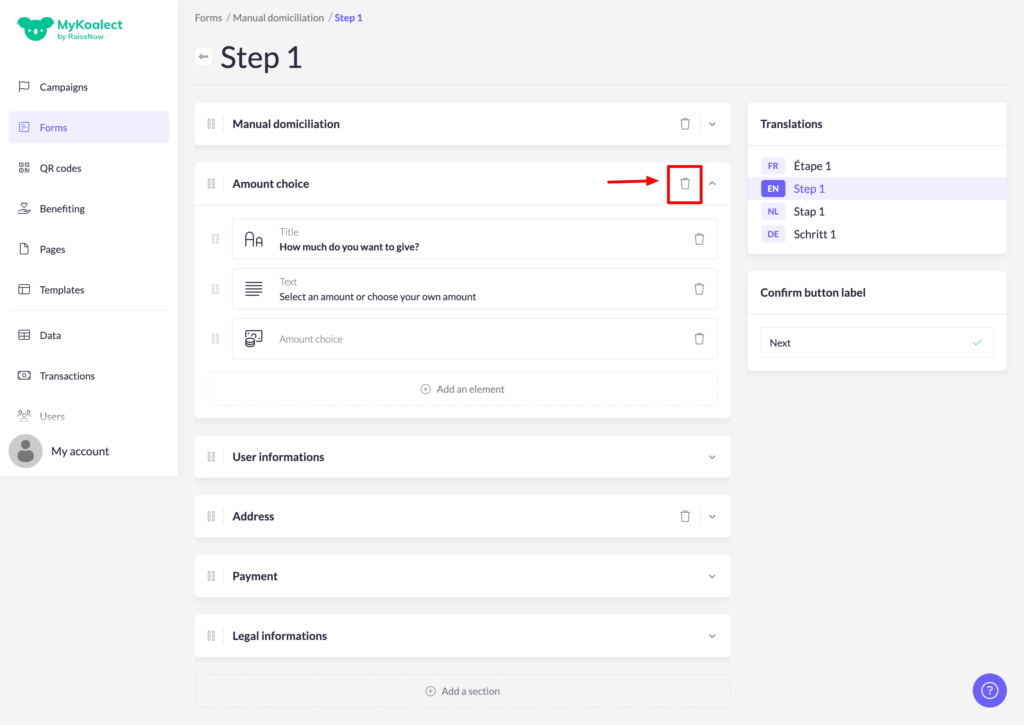
- Remove the 'amount choice' section from your form via the garbage bin:
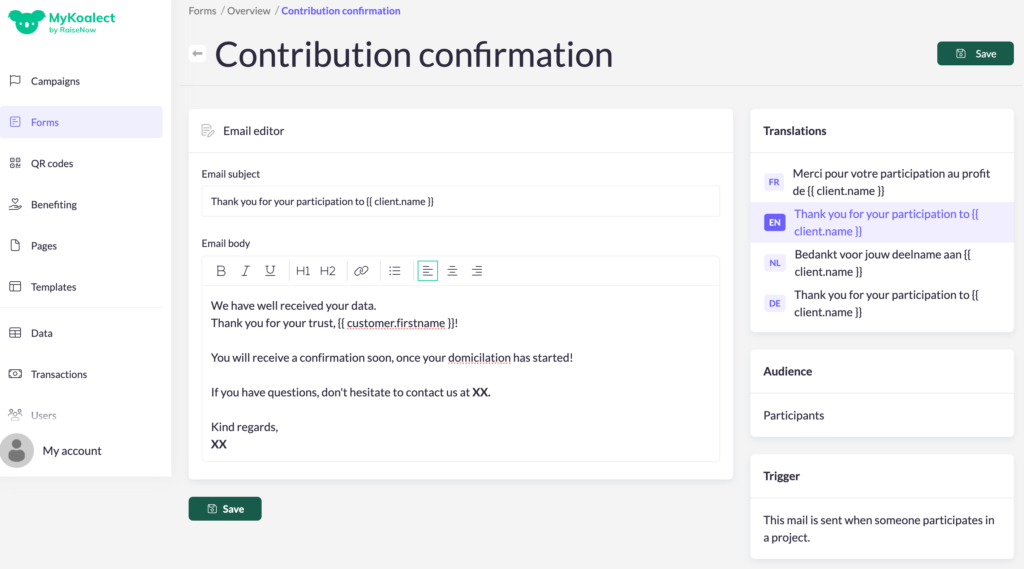
- Personalise the confirmation e-mail to inform the donor that the manual domiciliation will be installed soon.
- Ready! You can begin collecting the banking details from your monthly donors.
To export the data of banking information from your donors, go to the data tab in MyKoalect to make an export of the newly acquired manual domiciliations.
Note: There is a control on IBAN number, so donors get an error message when filling in if they fill in a non-existing IBAN number?
2. Video tutorial: Create a form for both one-shot donations and monthly (manual) domiciliations
In this tutorial video you learn how to create a form in which you allow donors to make a one-shot donation and domiciliation combined in one form.