
Duplicating existing forms and campaigns in MyKoalect is a great way to save time, and minimize errors when creating similar forms. By using this feature, you ensure consistency and accuracy across your campaigns, which is crucial for maintaining a professional and effective donor outreach strategy.
Here’s how you can easily duplicate a form:
- Log in to MyKoalect and navigate to the "Forms" section.
- In the top right corner, click on "Create new form."
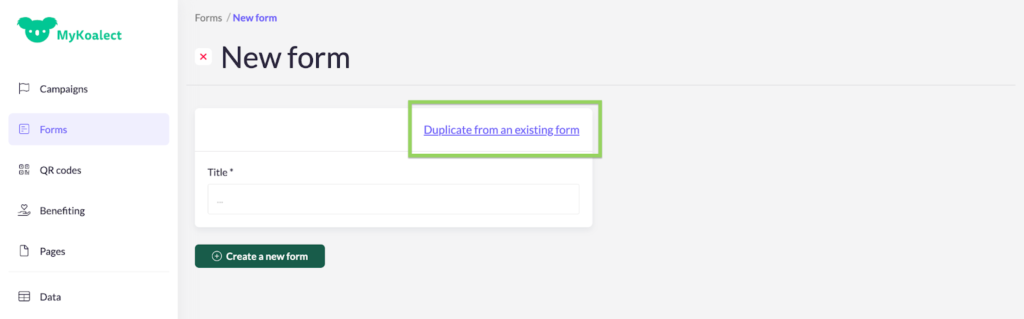
- Select "Duplicate from an existing form."
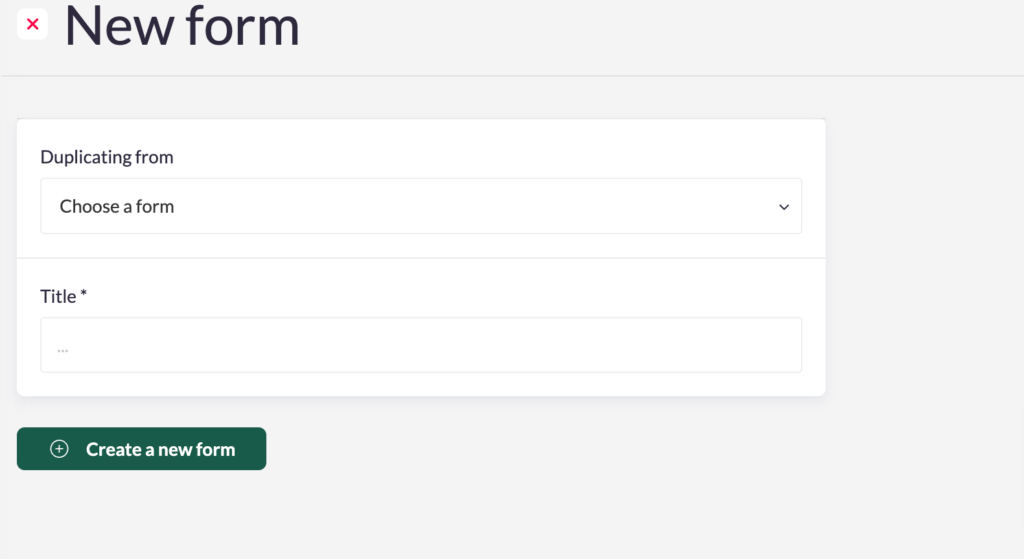
- Choose the form you wish to duplicate, give it a new title, and click "Create new form."
Tip: Duplicating forms allows you to tailor different forms for each specific touchpoint with your donors. This helps you organize data more effectively, enabling you to analyze which touchpoints resonate most with your supporters. This approach can lead to a deeper understanding of your donor base.