
1. Set up a monthly contribution button in your form
To allow users to make monthly contribution to your organization, follow these steps:
- Navigate to the form intended for collecting monthly donations.
- Locate the step and section within the form where you want to provide users with the option to contribute monthly.
- Select 'Add New Element' and add the 'Contribution Frequency' element.
- Enable the 'monthly payments' option (and if desired, deactivate the one-time payments option to tailor the form specifically for monthly contributions).
With these settings, users will now have the option to make monthly payments within your form.
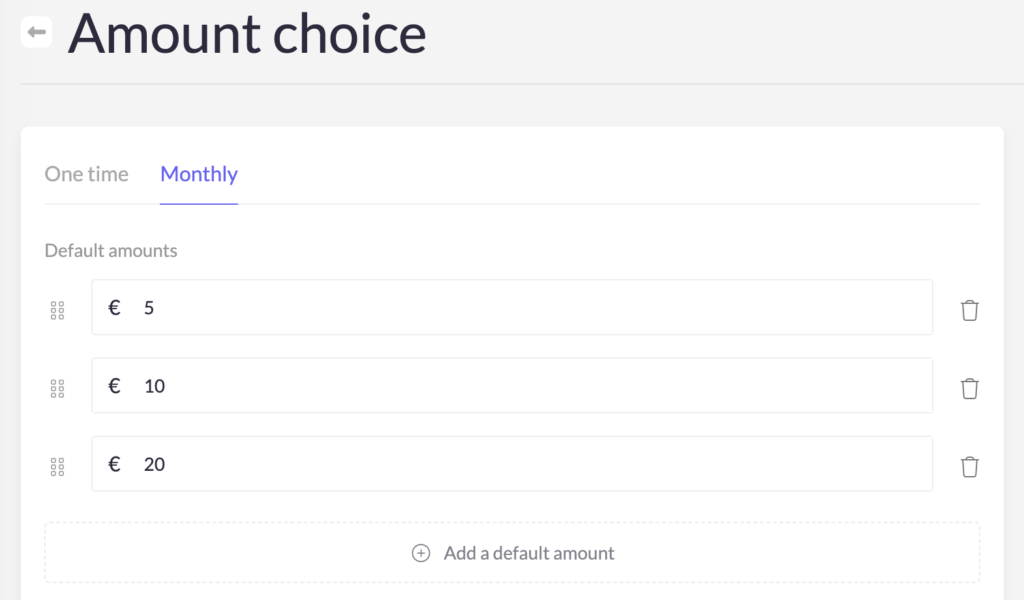
Don't forget to customize the suggested amounts within the 'Amount Choice' element of your form. This allows you to tailor the options presented to potential donors for their monthly contributions.
Tip: Write a thoughtful thank-you email in the email settings of your form, specifically tailored to express gratitude to your monthly donors. Also try to strengthen these relationships further by maintaining regular communication through your own mailings.
2. How are the monthly contributions triggered?
The first monthly contribution is recorded like a regular payment and collects all data about the new donor. Subsequently, the same contribution amount is automatically processed on the 5th of each month as an SDD or standing order.