STRAVA adds an engaging dimension to your campaign when it involves a physical challenge because it allows project owners to connect their personal Strava accounts to their project page.
This Strava integration showcases their individual achievements onto the project page, allowing them to share their sportive progress and milestones with their supporters. This creates a more personalised and engaging experience for others to follow and support their fundraising journey.
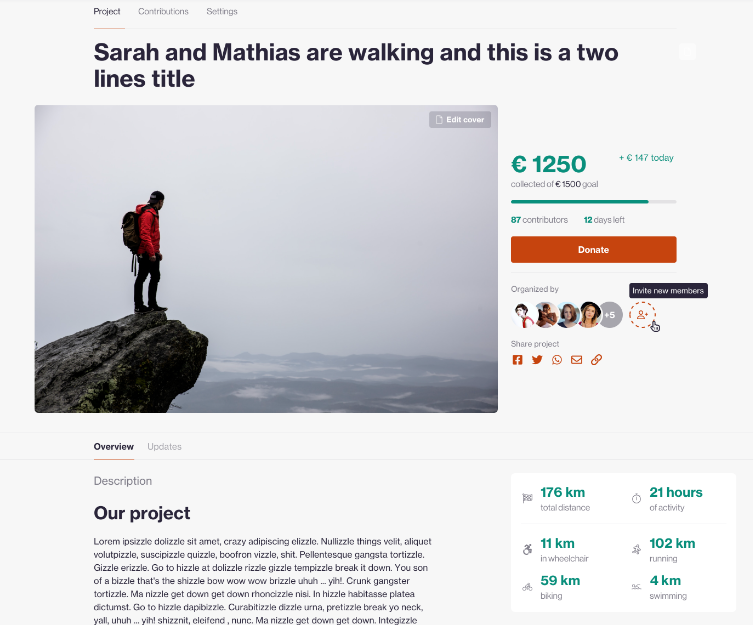 Here is an example of a project page where the project owner has linked their Strava account.
Instructions to integrate STRAVA in your campaign:
Contents:
- Create a STRAVA API application
- Fill in the STRAVA API program submission form
- Activate the STRAVA integration in MyKoalect
1. Create a STRAVA API application
To enable sporting activities for your campaign you will have to create an API application first. To do so, follow these instructions:
- Create a normal Strava account for your organisation, the same way like you would create a Strava account for yourself.
- Visit https://www.strava.com/settings/api when logged in into the Strava account you created.
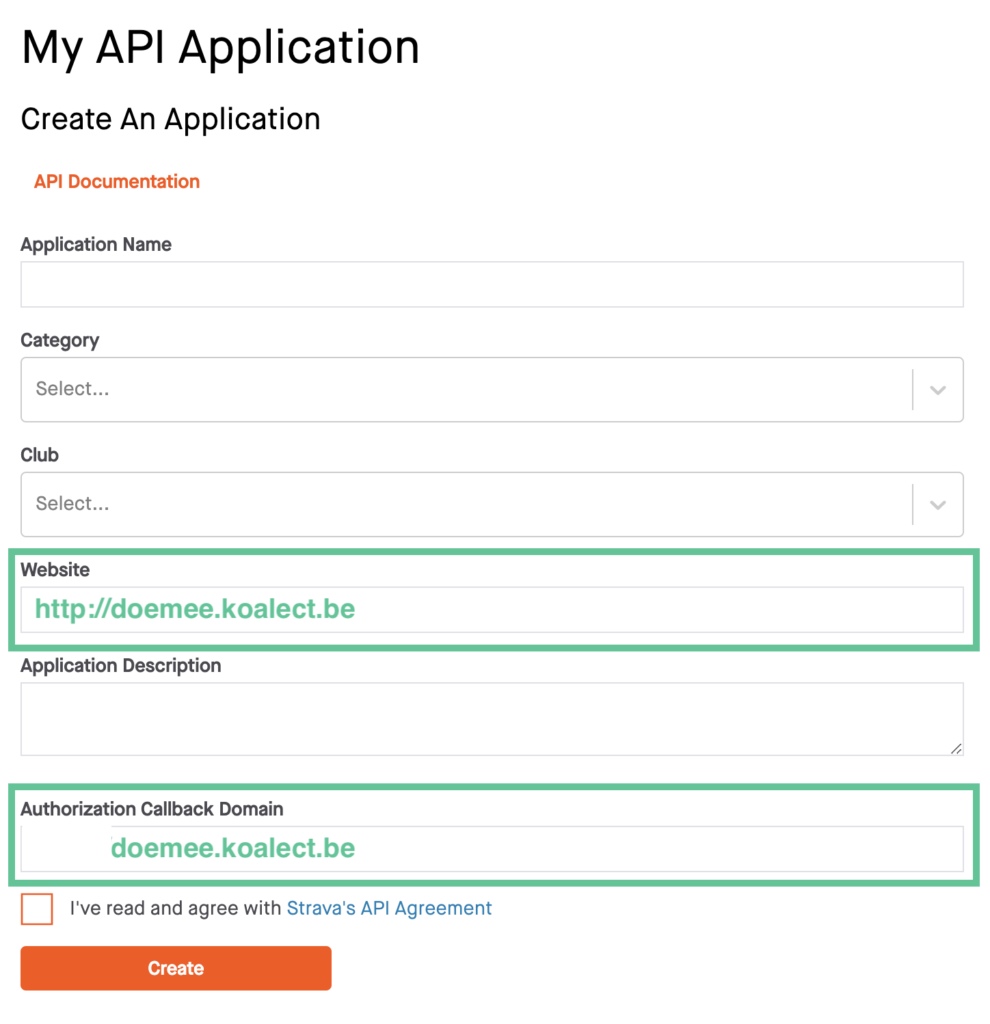
- To create the API, you need to fill in the details of your own platform in:
- Website for example: https://name_of_your_organisation.koalect.com
- authorisation callback domain: name_of_your_organisation.koalect.com
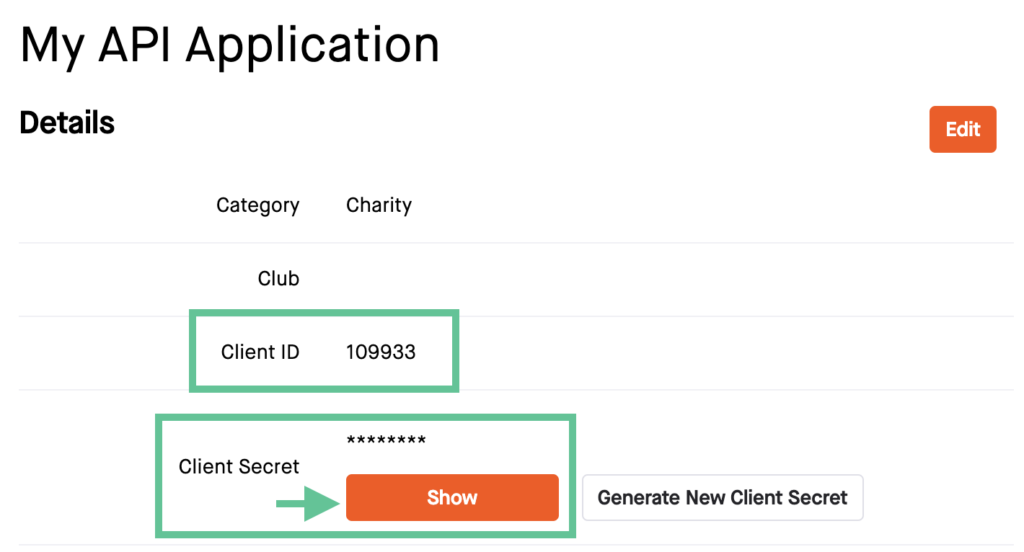
- Once you have created the API you will find ‘Client ID’ and ‘Client Secret’.
- Send the Client ID and Client Secret to your customer success manager (CSM) or support@koalect.com in a secure manner. They will further set up the integration with Strava.
2. Fill in the STRAVA API program submission form
Once your Customer Success Manager (CSM) has confirmed that the STRAVA integration in your account has been made you will need to fill in the STRAVA API program submission form via this link.
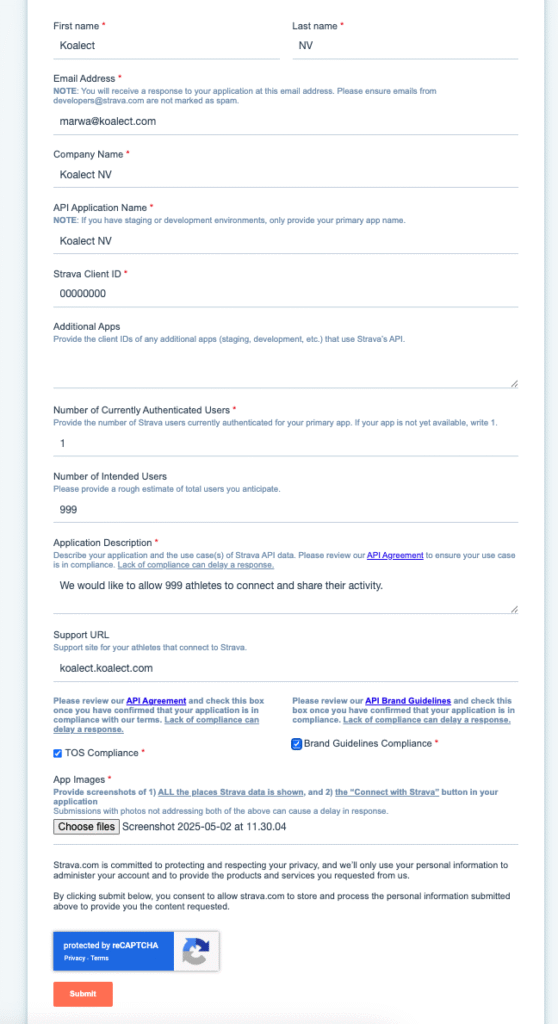
Note: When filling out the form, please make sure to enter the following details exactly as required.
- First name & last name: These should match the name on your Strava profile and should be entered in the exact order.
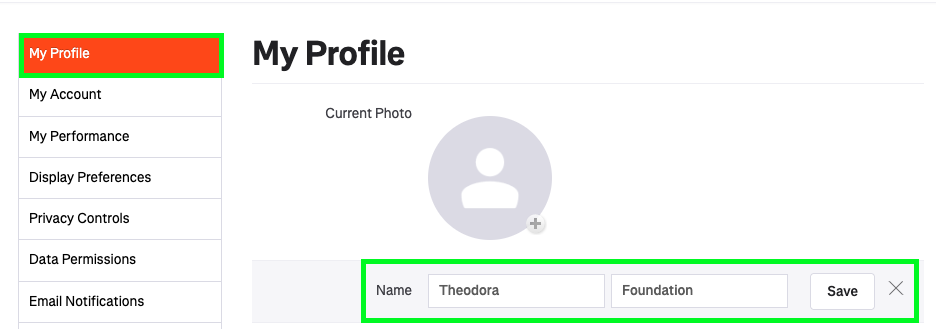
- Company name: This must also match your first and last name exactly, including the same formatting and order.
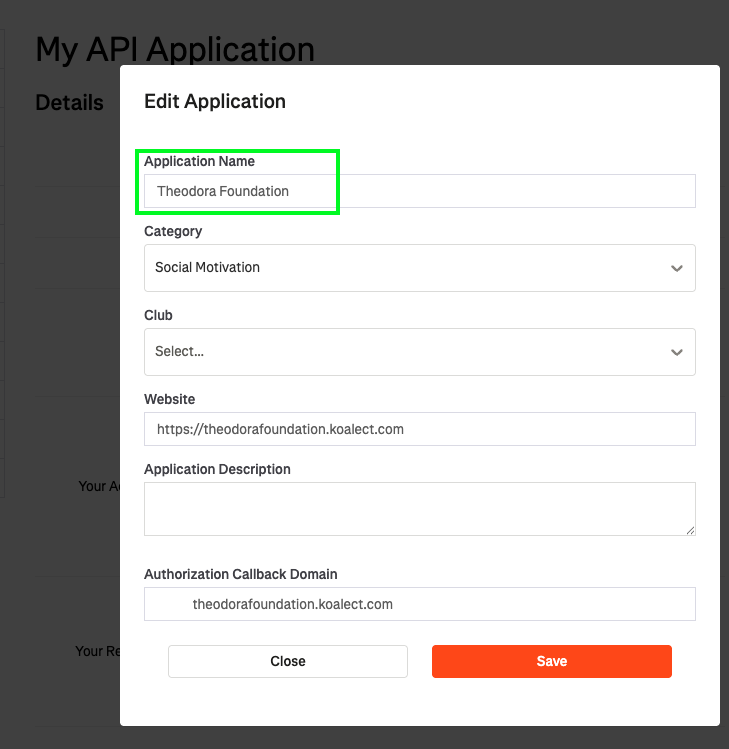
- API application name: Use the same name as your company name to maintain consistency.
- Application description: Use the following example for a short and clear description:
- "We would like to allow 999 athletes to connect and share their activity."
- Support URL: Enter the Koalect platform URL you used when creating your API application.
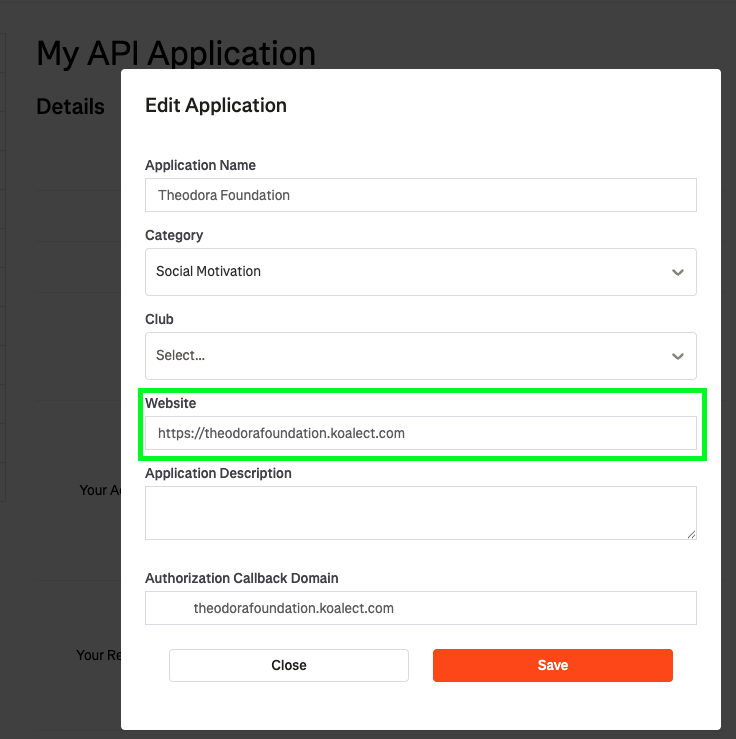
Beware: If you change your Koalect platform’s domain URL, be sure to update both the website and the authorization callback domain in your Strava API settings. Failing to do this may cause the integration to malfunction.
- App Images: Feel free to include a screenshot showing how the Strava integration appears on your project page where it will be used.
A complete form will look like this:
3. Activate the STRAVA integration in MyKoalect
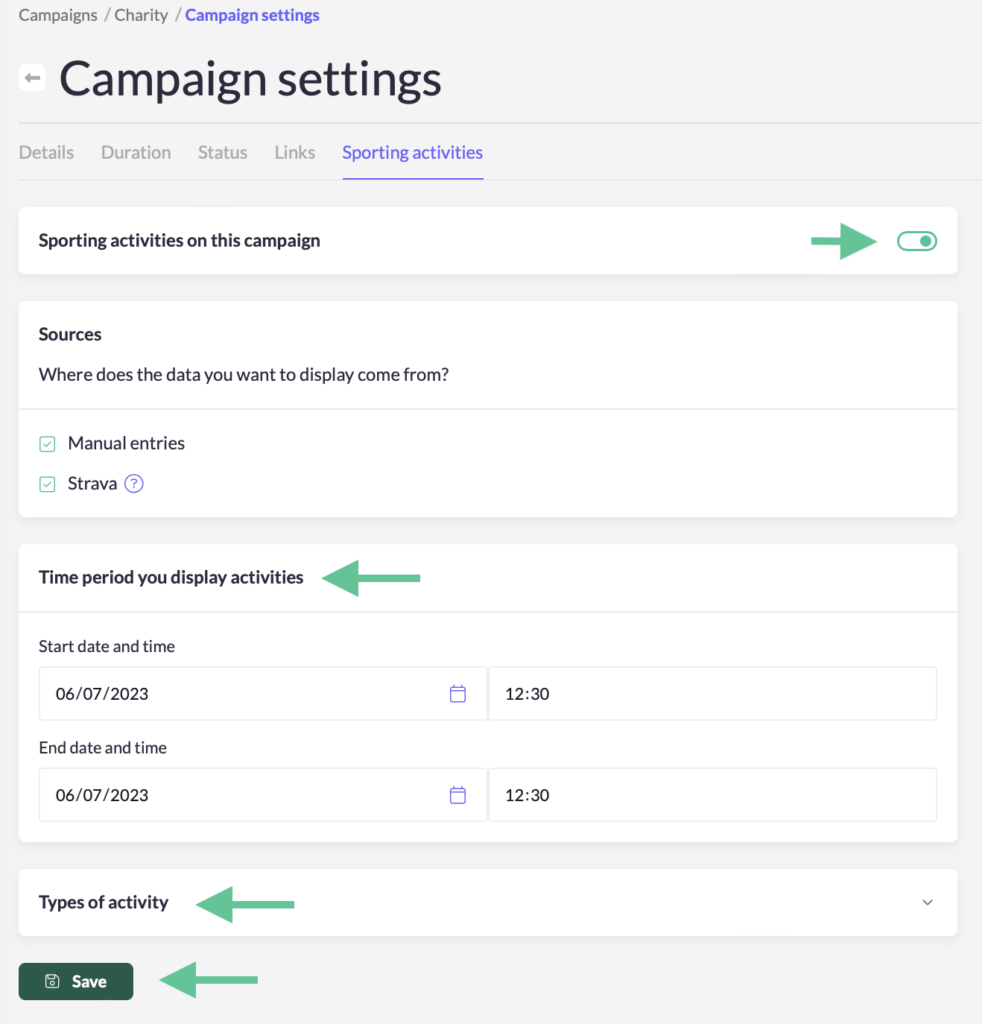
- Go to ‘Campaigns’ > click on the campaign you want to edit > ‘Settings’ > Sporting activities.
- Turn on ‘Sporting activities on this campaign’.
- Change the settings you want:
- Decide the time period where you want to display sporting activities.
- Decide which types of sports you want to show.
- Click 'Save'.