• Home
  • FAQs
  • Contact
  • English
FAQ – Koalect
  • Home
  • FAQs
  • Contact
  • English

How to activate the benefiting feature?

/Campaigns (Koalect DO) / Benefiting / Forms (Koalect GIVE) / Benefiting / How to activate the benefiting feature?
  • June 13, 2023
  • Timo Biltereyst
  • Benefiting / Benefiting

To activate the ‘Benefiting’ feature for your platform, please contact your Customer Success Manager or email support@koalect.com.

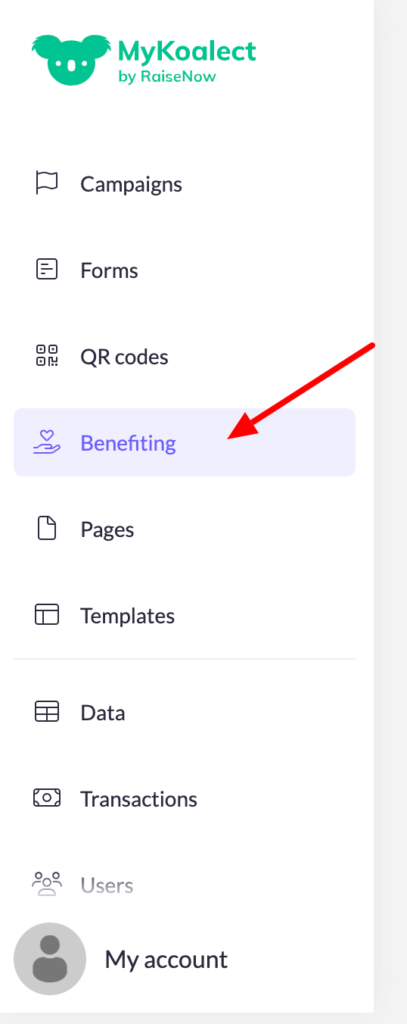
Once activated, you will see an additional tab in your back-office labeled ‘Benefiting’:

Discover further how to work with Benefiting:

  • What is benefiting?
  • How to add new beneficiaries?
  • How to integrate beneficiaries in my campaign?

Related Articles

  • What is Benefiting?

  • How to add new beneficiaries?

  • Integrate beneficiaries in my fundraising campaigns

Categories

  • Two-Factor Authentication 1
  • Currencies 4
  • Custom fields 1
  • Building your campaign 4
  • Project page 5
  • Forms 6
  • E-mails 6
  • Buckaroo 1
  • Products 4
  • Benefiting 4
  • Templates 3
  • Project Validation 4
  • Campaign settings 2
  • Data management 6
  • Building your form 9
  • Financials 3
  • E-mails 4
  • Products 2
  • Benefiting 4
  • Header and footer 1
  • Integrations 6
  • Settings 1
  • Koalect Public API 2
  • Custom pages 3
  • QR Codes (Koalect SCAN 4
  • Branding 3
  • Stripe 1
  • System pages 1
  • Custom domain 1
  • Uncategorized 7
  • Users and roles 1

Popular Articles

  • How to add a custom domain?
  • Create a donation form
  • How can I integrate conditions in my forms?
  • How do I create a Stripe Custom account via Koalect?
  • Can I refund a transaction via Mykoalect?

Need Support?

Can’t find the answer you’re looking for? Don’t worry we’re here to help!

Contact Support
© Copyright, A HeroTheme