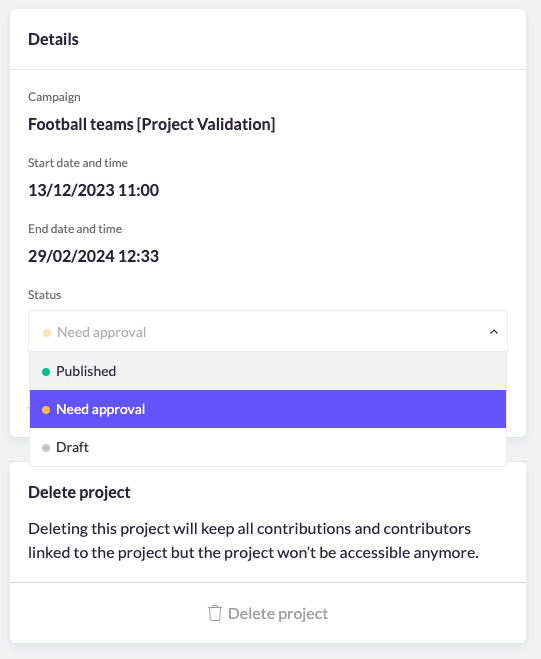
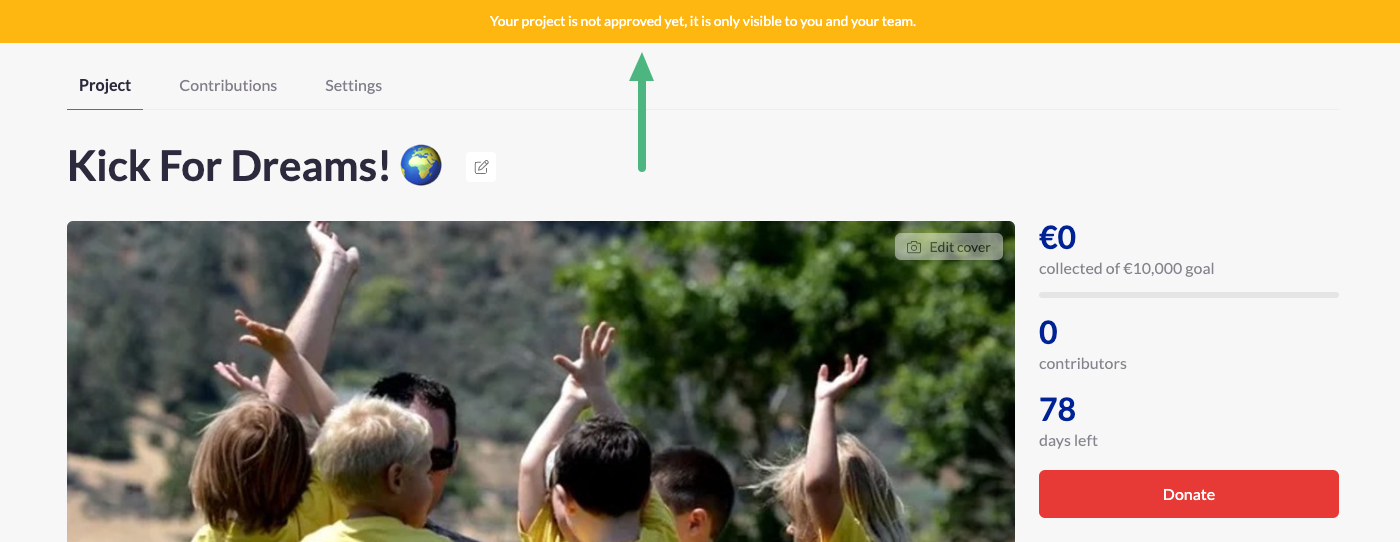
When project validation is enabled, users creating new projects can set up their project pages but must wait for administrator verification before sharing or collecting donations. Follow these instructions to approve projects.
- Once a new project has been created, administrators receive notifications of a new pending project page.
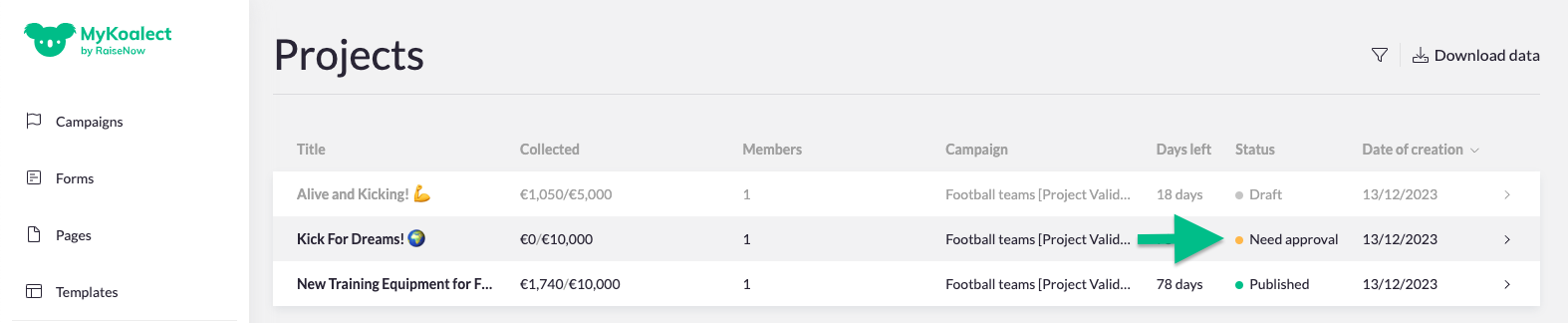
- To approve the project, go to MyKoalect, navigate to the left vertical menu and click on 'Projects'.
- Each project will have a status indicator. If a project's status is marked with 'Need approval', the administrator has the opportunity to review and approve it.
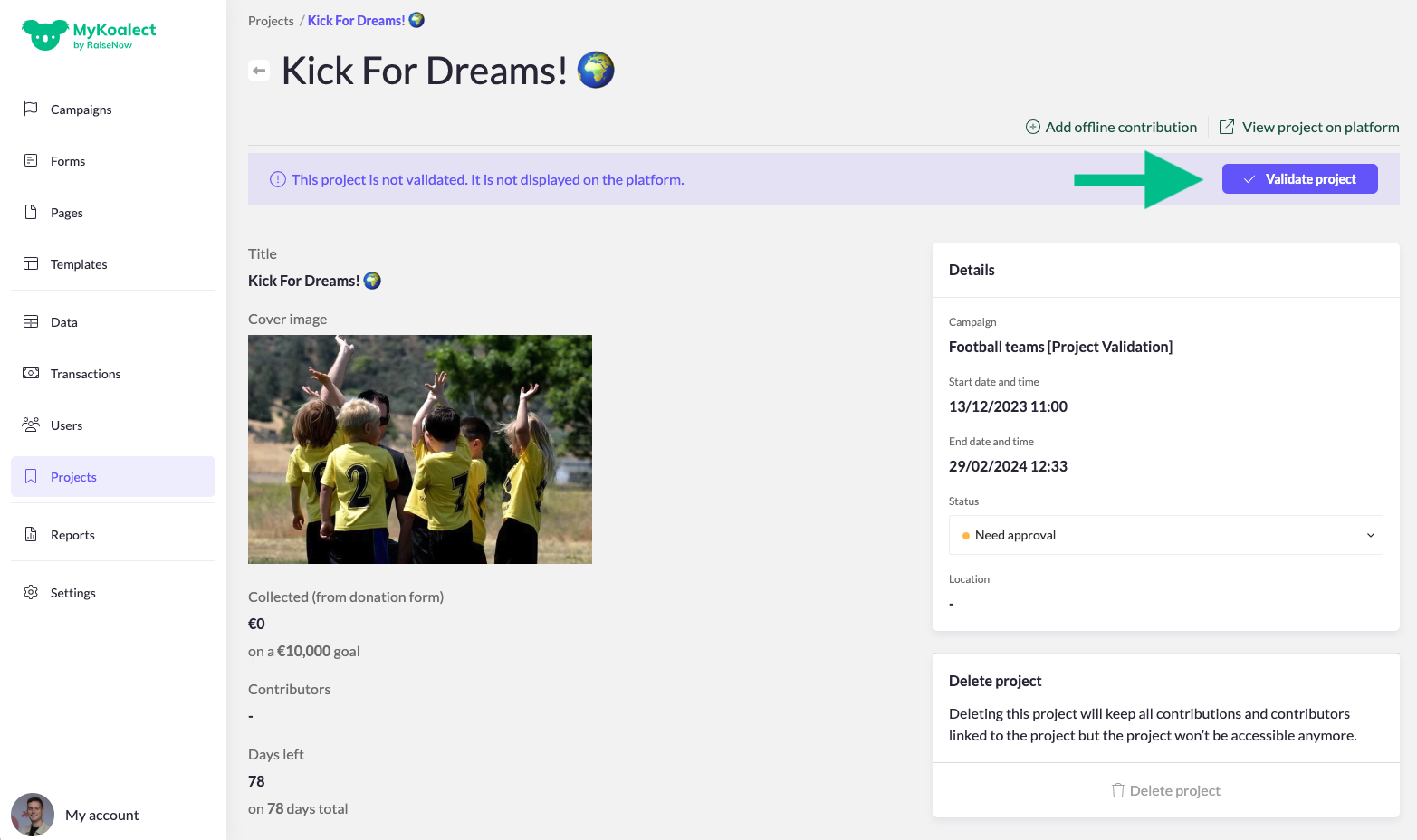
- Click on the project to review the content of the project page.
- You can then confirm your decision to approve the project. This action will notify the project owner, allowing them to share their project page, collect donations and interact with their contributors.
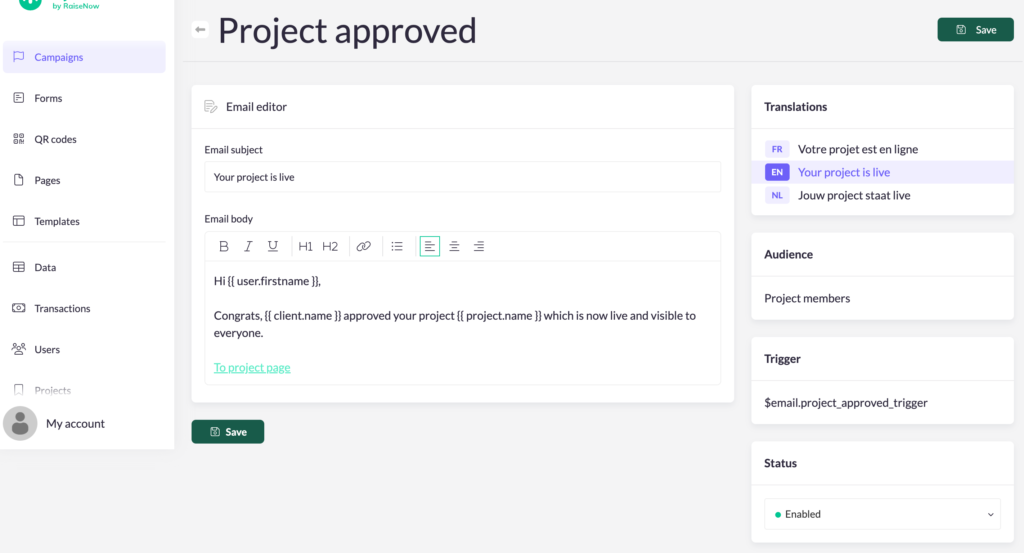
- The project owner will be notified by a notification e-mail, when their project is approved. You can activate/edit this e-mail via the e-mails of your campaign:
Note: If a project deviates from the rules of your campaign and cannot be verified, the administrator can delete the project or put it in draft mode. They are also responsible for reaching out to the individual, providing necessary information about their decision when required.