
Two-Factor Authentication (2FA) adds an extra layer of security to your MyKoalect backoffice.
By enabling 2FA, you help protect sensitive supporter and financial data.
- Benefits of enabling 2FA
- How can I activate 2FA for my MyKoalect environment?
- How does 2FA work in MyKoalect?
- I’ve lost my 2FA credentials or want to change my 2FA method. What should I do?
1. Benefits of enabling 2FA:
- Stronger protection for supporter and financial data
- Reduced risk of unauthorised access
- Increased trust from your donors and internal team
2. How can I activate 2FA for my MyKoalect environment?
Once 2FA is activated for your environment, it cannot be disabled. To activate 2FA for your organisation:
- Contact your Customer Success Manager
- Send an email support@koalect.com
3. How does 2FA work in MyKoalect?
Once 2FA is enabled, all users on your MyKoalect environment will be required to set up 2FA and log in using one of the following methods:
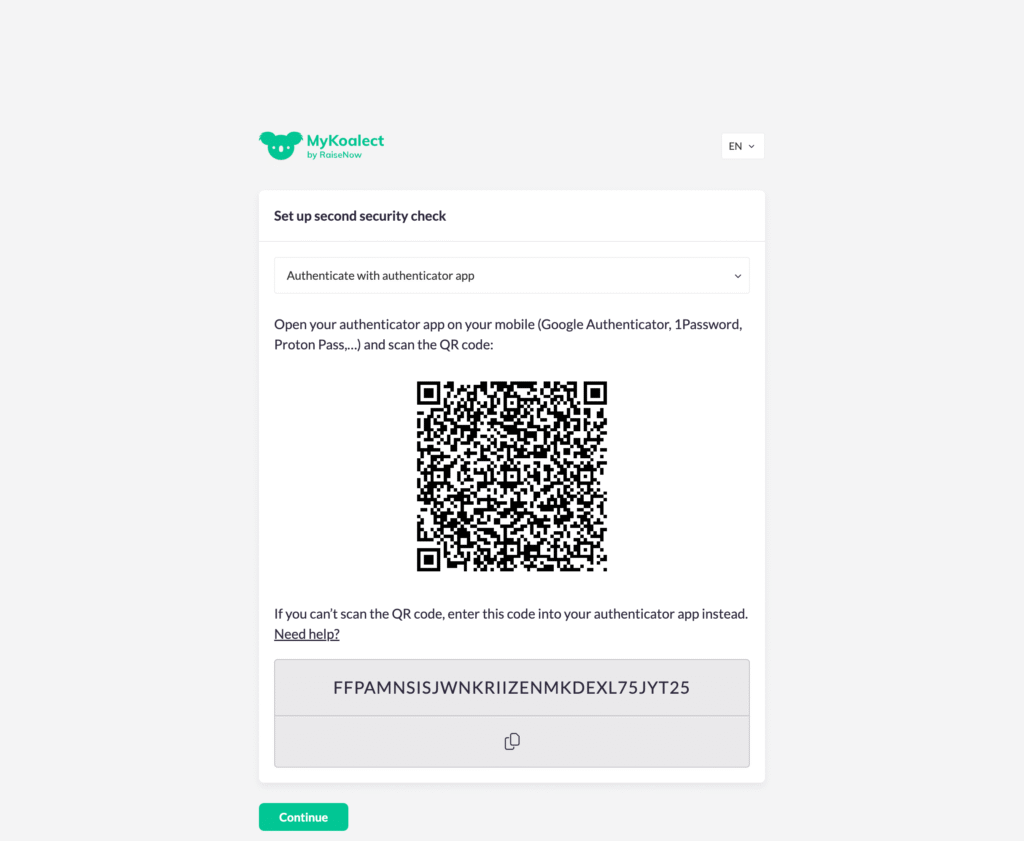
- Authenticator App (e.g. Google Authenticator, Microsoft Authenticator):
- Scan a QR code
- Enter the time-based one-time password (OTP) from the app
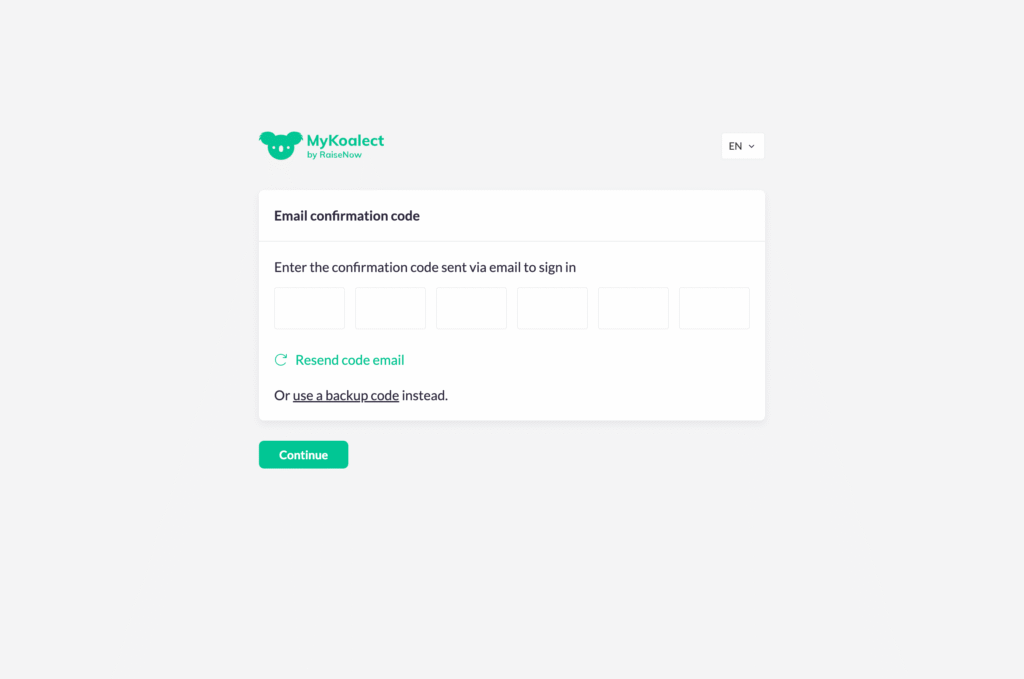
- Email (OTP):
- MyKoalect sends a 6-digit OTP to the user’s email address
- Code expires after 5 minutes
- Back-up Code:
- Provided to users after the first-time setup of 2FA
- Can be used if other methods are not available
4. I’ve lost my 2FA credentials or want to change my 2FA method. What should I do?
If you’ve lost access to your 2FA credentials or want to switch to another 2FA method, please use your back-up code to access MyKoalect and contact our support team at support@koalect.com. They will assist you in regaining access or updating your 2FA method.