
If your organisation uses Stripe Custom Connect as its payment provider, you may occasionally be asked by Koalect to review or update your Stripe’s account information.
This ensures that transactions and payouts continue to run smoothly and without interruption.
Stripe may ask for additional details such as:
- Organisation information
- Legal representative details
- Ownership or shareholder structure
These requirements can change over time due to compliance regulations.
How to update your Stripe information
- Log in to MyKoalect
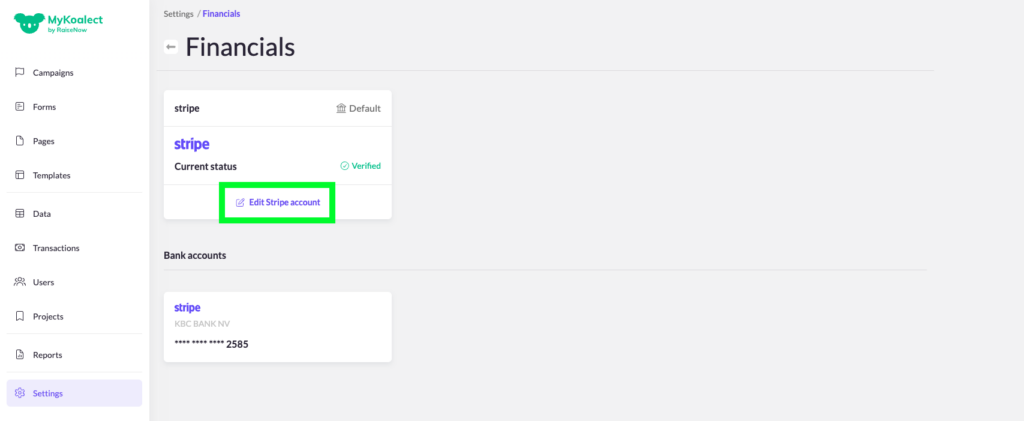
- Go to Settings > Finance
- Click “Edit your Stripe account”
- Complete any missing information requested in the Stripe dashboard
- Submit your updates in Stripe
Once you have completed the requested steps:
- Your account may return to active status immediately, or
- It may take some additional time if Stripe performs a manual verification
We recommend informing your Koalect contact person once you have completed the update. This allows us to verify together that everything has been processed correctly and your account is fully active.