Note: QR codes for project pages is a feature offered by Koalect SCAN. Such QR codes do not come as a default feature within 'Koalect DO.' Therefore, users of Koalect DO will need to purchase 'Koalect SCAN' to access this functionality.
To empower your supporters, we provide the possibility to create unique QR codes for each project page, enabling project owners to collect donations quick and efficient during their actions and initiatives.
You will find QR codes for every project page here:
- Visit the project page on your platform.
- To access the settings of this project page, please log in using your admin account, which is the same as your MyKoalect account.
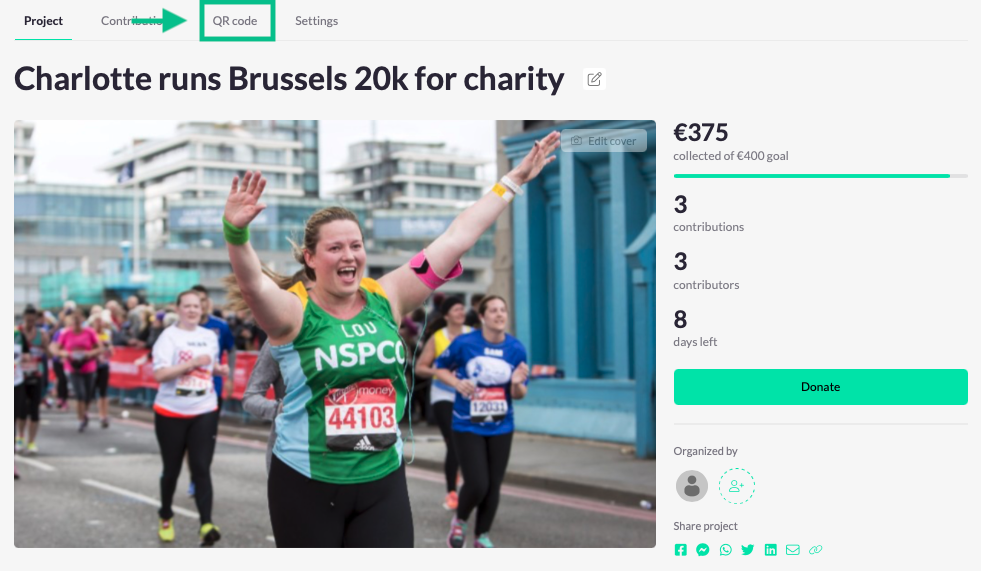
- Navigate to the menu and go to ‘QR code’.
- Download the QR codes.
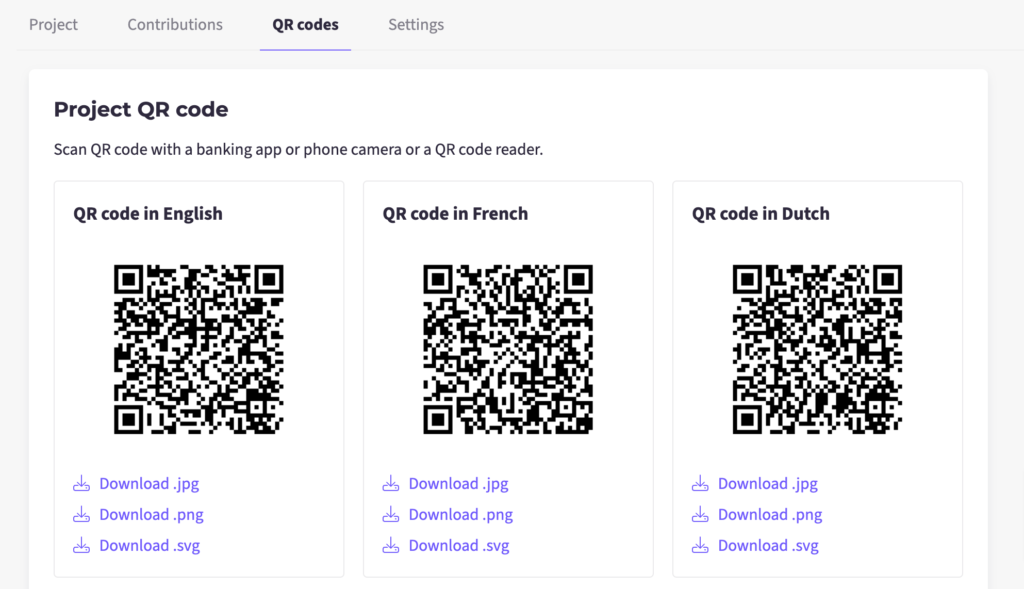
For each project page, you have the option to download two types of QR codes:
- Project QR code: Can be scanned with a phone camera, bank apps, all payment apps and redirects the user directly to a payment. The payment includes date fields to capture necessary user data.
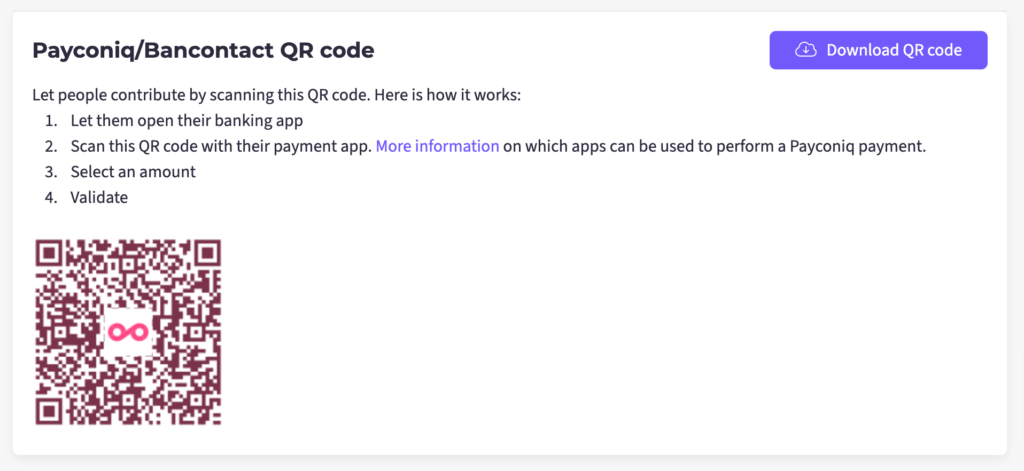
- Payconiq/Bancontact QR code: Can be scanned with payconiq app only and redirects the user to a wire transfer directly. This is considered the fastest option but it does not capture all user data.
To activate Project QR code:
- Go to MyKoalect
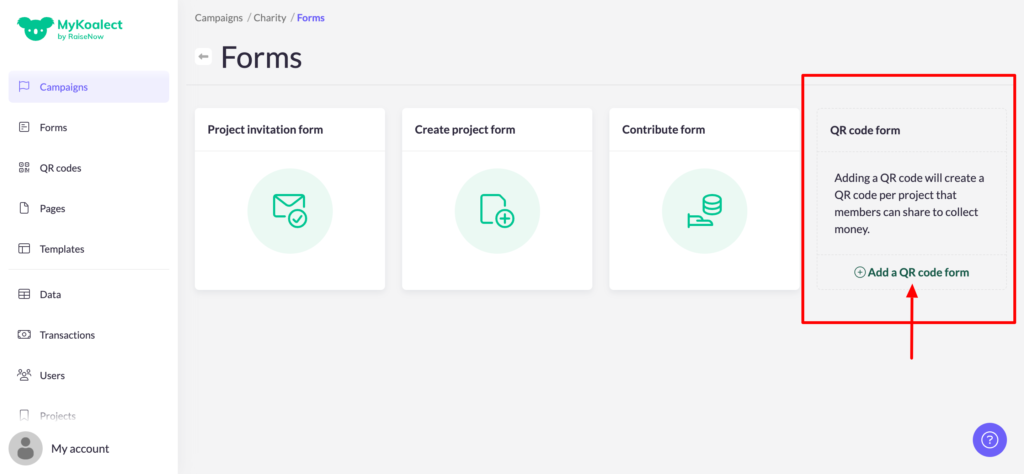
- Go to the 'Campaigns' section > visit the campaign you want to edit > Click on 'Forms' > Click on 'Add a QR code form'.
- Fill in the reference and amount and press 'Add QR code forms to your campaign'.
- Project QR codes are now active on the project pages of the campaign.
Note: Regardless of the amount you enter, donors will always have the ability to fill in the amount themselves. Be precise in your input since you cannot edit the information.
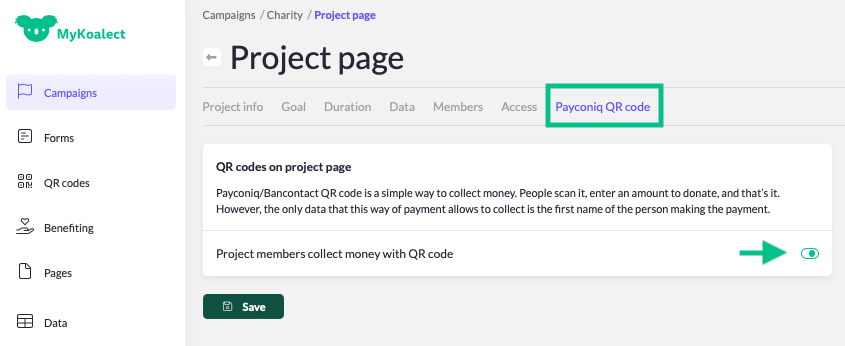
To activate Payconiq QR codes:
- Go to MyKoalect
- Go to the ‘Campaigns’ section > visit the campaign you want to edit > ‘Project page’ > Navigate to ‘Payconiq QR code’.
- Activate the Payconiq QR codes for project owners and ‘Save’.
- Download the QR code by visiting the project page on your platform.