What is a Google Tag Manager (GTM)?
Google Tag Manager is a tag management system that allows you to quickly and easily update tracking codes and related code snippets (collectively referred to as tags) on your platform.
In summary Google Tag Manager allows you to add Google Analytics or Meta Pixel to your platform.
It's crucial to understand that the data collected in Google Tag Manager isn't completely dependable. If someone disables tracking via their browser, you might miss some events. Additionally, you could receive incomplete data based on whether visitors opt in or out of tracking. For accurate data, it's advisable to consult your MyKoalect dashboard.
What events and data do I receive?
You will find in this document all the events with the data that will be sent to Google Tag Manager
How to install Google Tag Manager?
How to receive data in Google Analytics (GA4)?
Based on the document below, you can build your custom configuration. If you don't have any skills in Google Tag Manager, we have made a basic configuration for you.
We advise you to create a new container. It is important to change the "GA - Measurement Id" and "Meta - Pixel Id" variables correctly.
GDPR Compliance
The configuration we provide uses Google's Consent overview feature. This functionality makes it possible to limit the sending of data according to the choice of the user. This feature must be enabled in your container settings.
For client using a custom container, it is important to take into account the choice of the user.
We provide cookie "koalect_consent" with user preferences (functional analytics marketing).
Can I disable Meta Pixel? Yes.
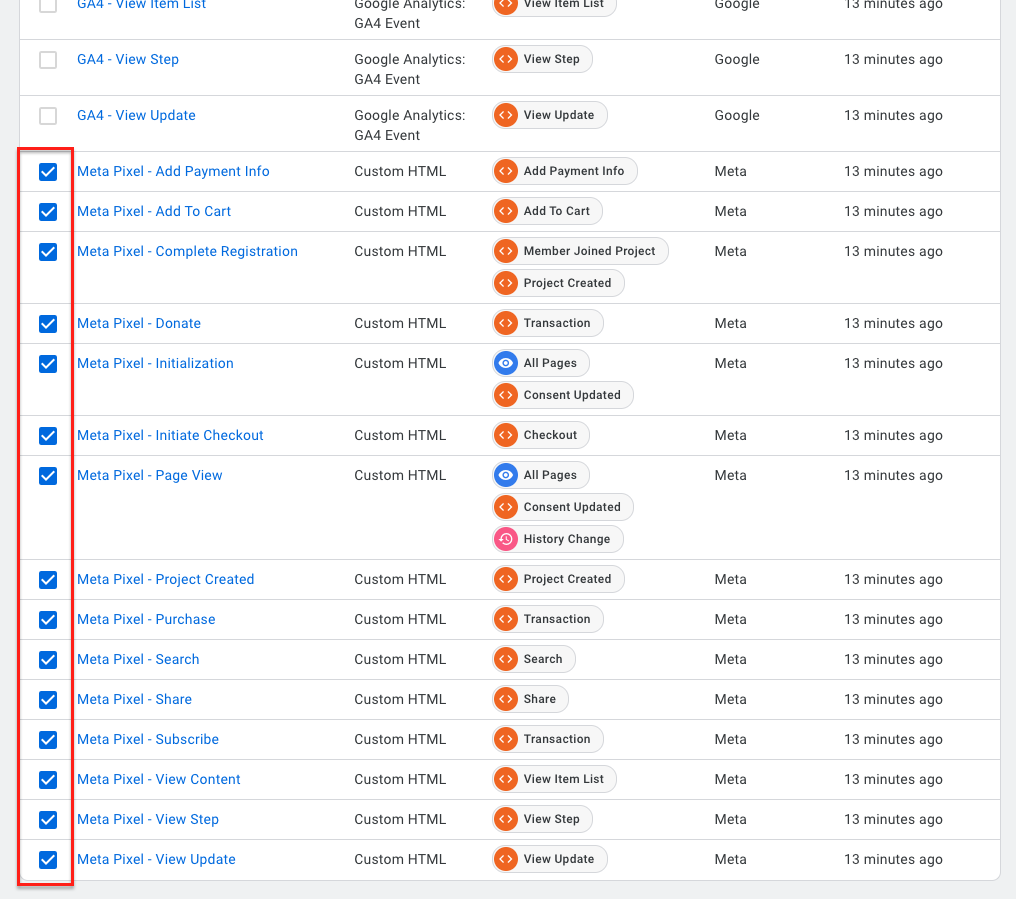
1. Select all Meta tags.
2. Then click on the pause button.
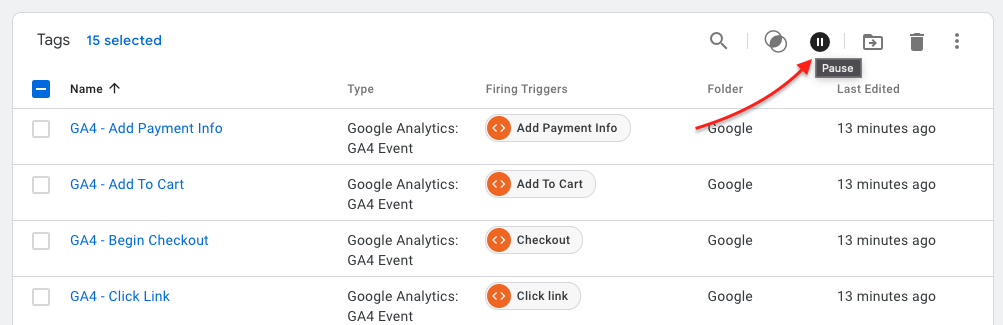
Don't forget to publish the changes with the Submit button.
History / Page view
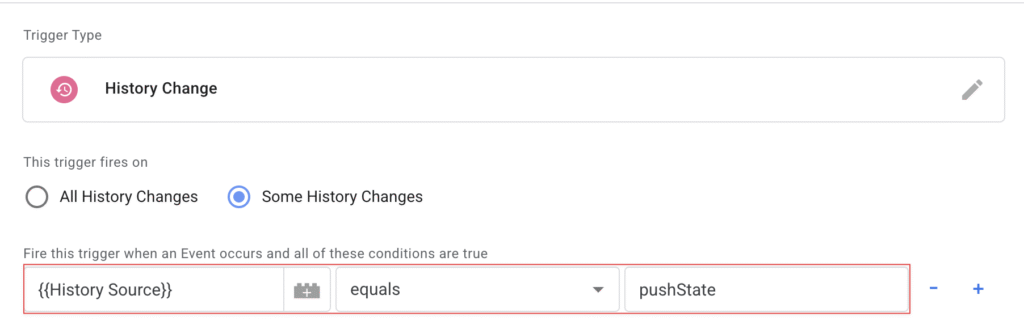
To avoid having multiple History events, it is recommended to limit to pushState.