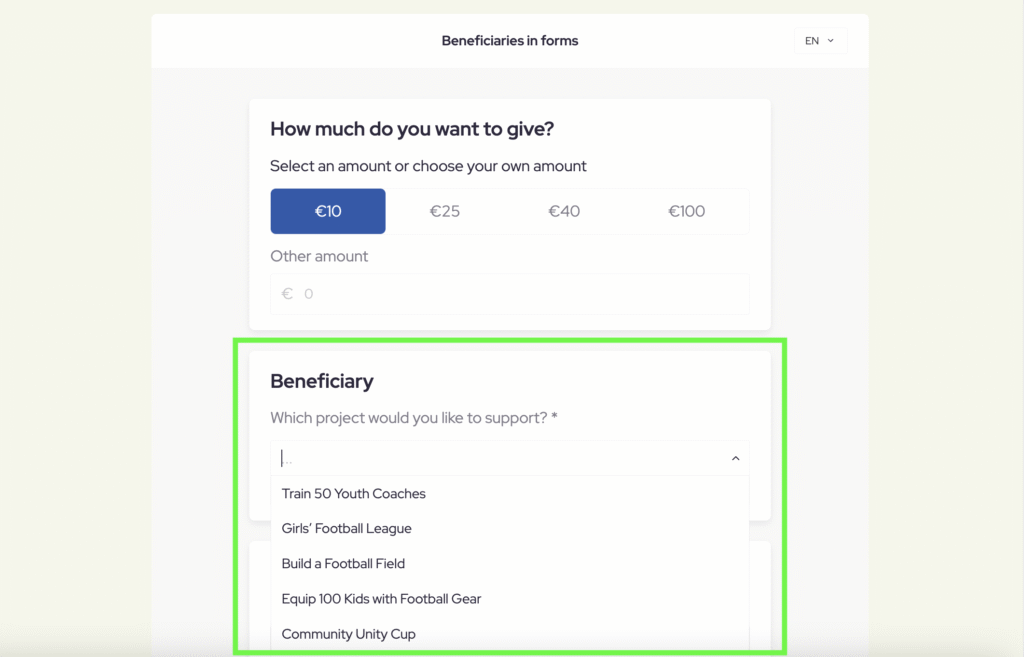
Once you have entered your list of beneficiaries you can enable users to make donations (GIVE & DO) or create fundraising projects (DO) for each individual beneficiary. Please follow these steps to implement beneficiaries to your campaigns:
For Koalect DO
Once you have entered your list of beneficiaries you can enable users to create projects for each individual beneficiary. Donations to these projects will automatically be assigned to the beneficiary chosen by the project owner.
Please follow these steps to implement beneficiaries to your campaigns:
- Go to the “Campaigns” tab and open an existing campaign or create a new one.
- Choose “Forms” > “Create project form” to implement the beneficiaries into the 'project create' form.
- Click on “Add a section” and choose “Beneficiary”.
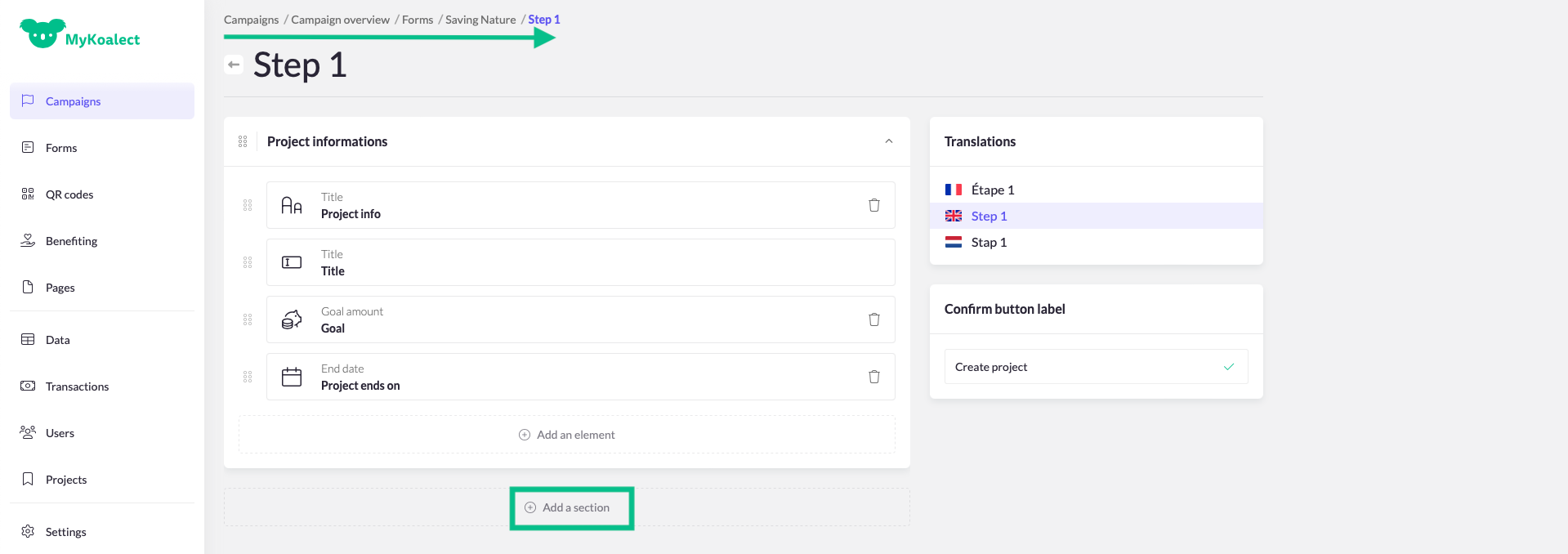
- Click on title to adjust the title of the section.
- Click on “Beneficiary” to go to advanced settings.
- Click on “Question” to customise the text.
- Click on “Go to beneficiaries” to select the desired beneficiaries or tags.
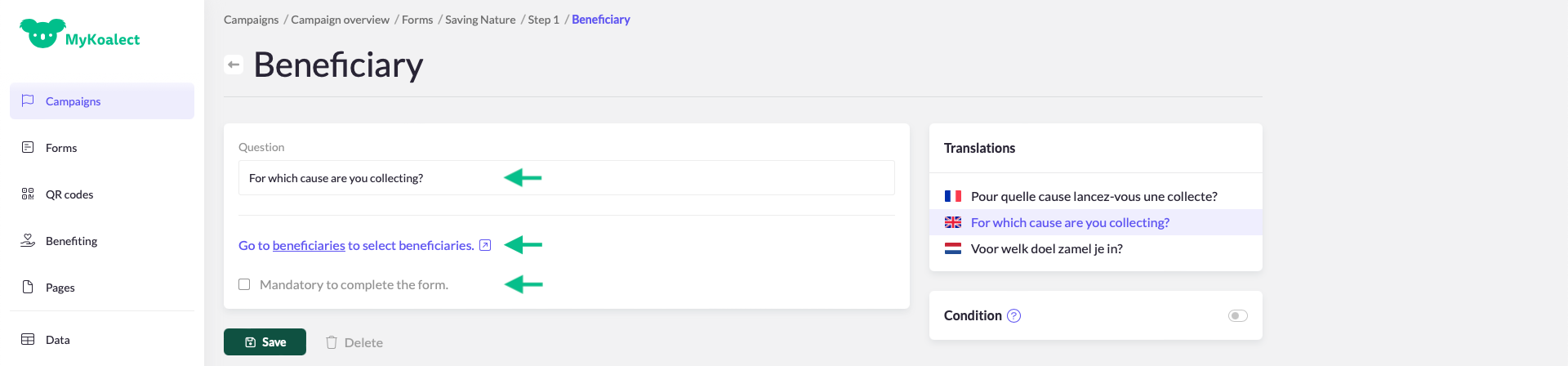
- Optionally, mark this question as mandatory by checking the box.
- Ensure that the form is properly translated into the required languages, if applicable.
For Koalect GIVE
To allow donors to choose with beneficiary they want to pick for their donation. Please follow these steps:
- Go to Forms and click the form you wish to add beneficiaries to.
- Open the step where you want donors to make their choice of beneficiary.
- Add the section “Beneficiary” and adjust the text to your tone of voice.
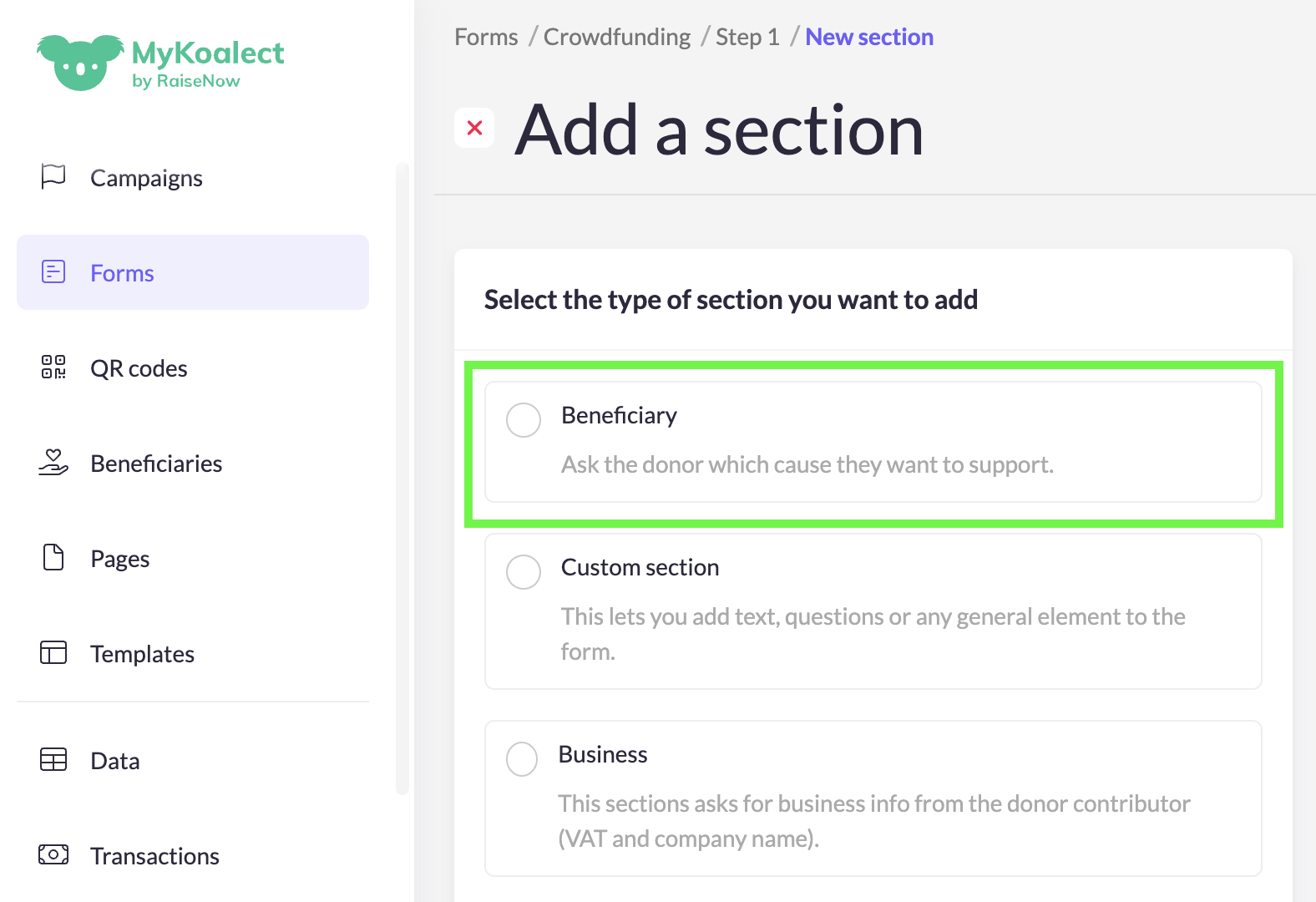
- (Optional) Mark the question as mandatory by checking the box.
- Ensure the form is translated into all required languages.
- To edit which beneficiaries appear, go to Settings → Beneficiaries on the form’s overview page.