
Transactional mails: These mails are sent automatically when users (for example project owners or contributors) have performed an action on your platform.
There are templates available for all transactional mails. You can edit the content of these mails.
- Go to ‘Campaigns’ > click on the campaign you want to edit > Click on ‘Mails’.
- You will find a list of all transactional mails that are available for your campaign.
- Toggle the mail if you want to activate or de-activate it.
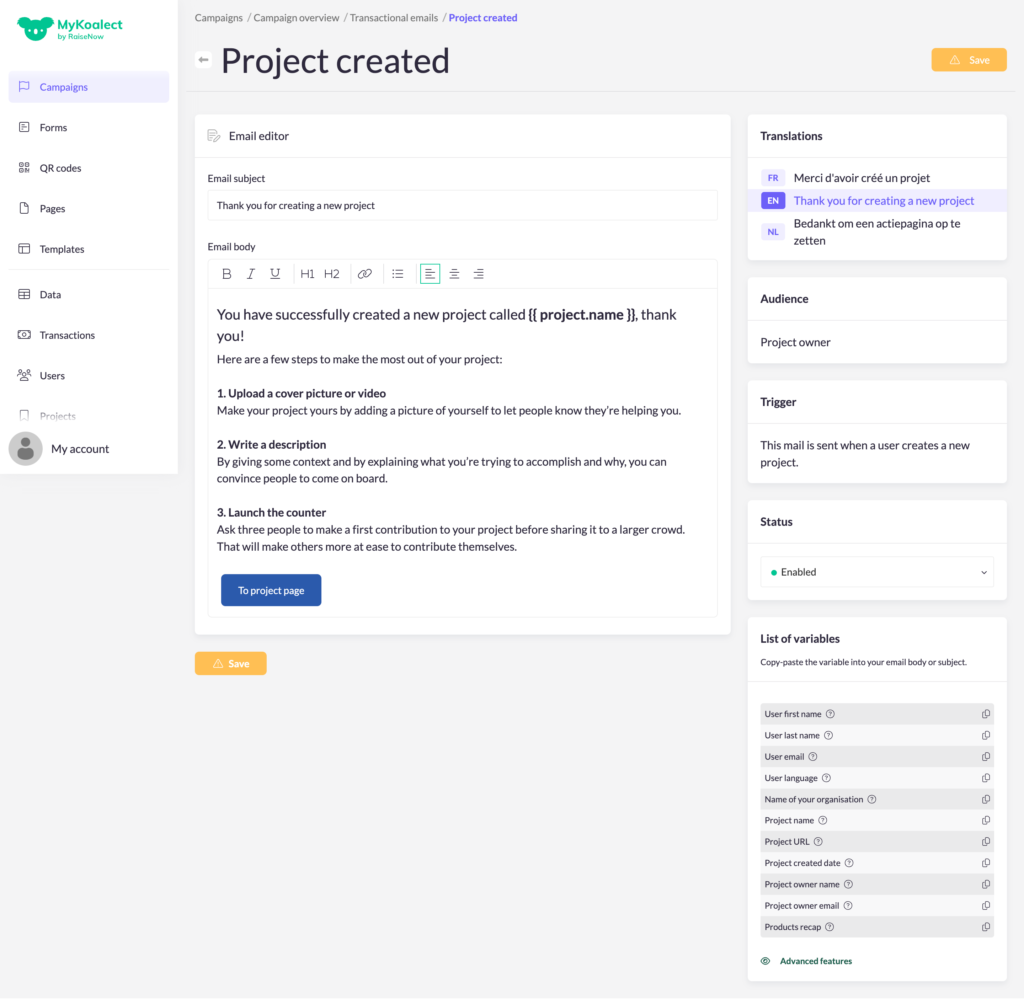
- Click on the mail you want to edit. Don't forget to edit in all active languages.
- List of variables: to further personalise the content of the mail with personal information.