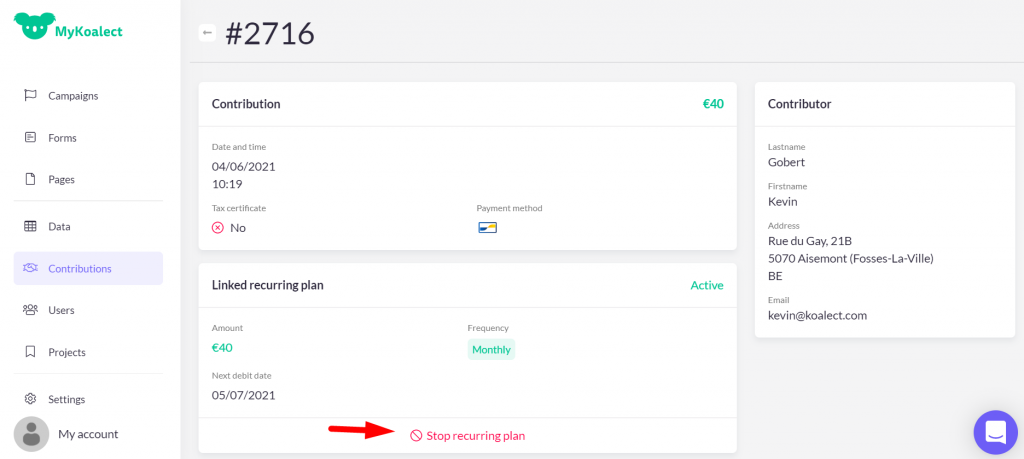
To stop a recurring donation in MyKoalect, follow these steps:
- Navigate to the transactions tab in your MyKoalect navigation column.
- Click the filter icon to search for the specific donation you want to stop.
- Once you locate the recurring donation, click on it to access the donation details.
- Within the details, you'll find the 'stop recurring donation' button.
By clicking this button, you effectively end the mandate associated with the donor.